Working with the notebook
Multimedia remote control (device dependent)
Remotecon t rol
Before using the remote control for the first time, pull out the transpa rent
film from the battery contacts.
Further information can be found in the Windows online manual (section
"
Information sources", Page 4).
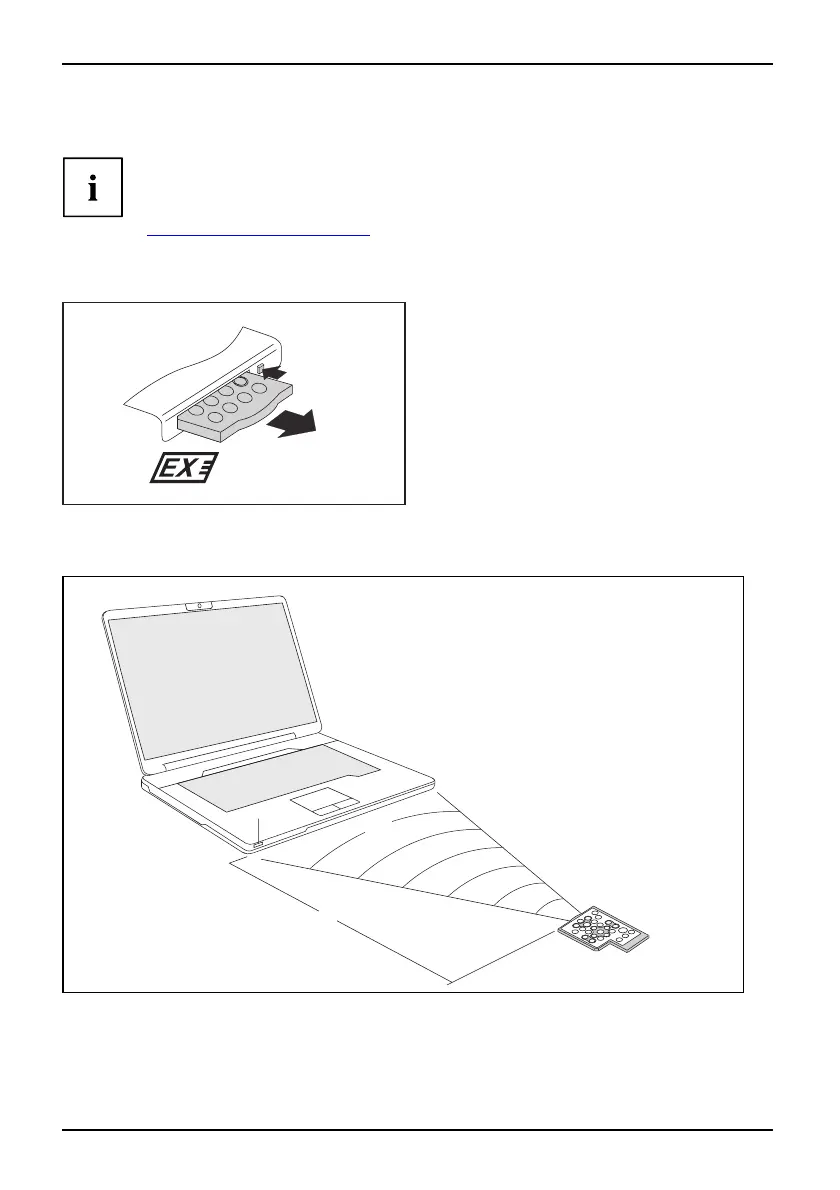
Removing remote control
1 (2 x)
2
► Press the eject button (1) twice, until
the remote control projects s lightly from
the ExpressCard slot.
Remotecontrol
► Pull the remote con trol out of the
ExpressCard slot (2).
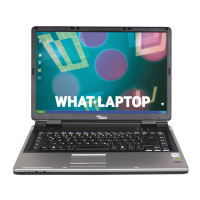
Using the remote control
Usingthe
1
2
30
3
The remote control (2) must be in the effective range (horizo ntally approx. 30°) of the notebook’s
CIR interface (1). Use the remote control within the reception zone (3) of the CIR interface.
The range (3) may vary depending on the effective angle to the CIR interface.
24 A26391-K90-Z200-1-7619, edition 1






 To Next Page