22
Basic operation
Listening to the tuner
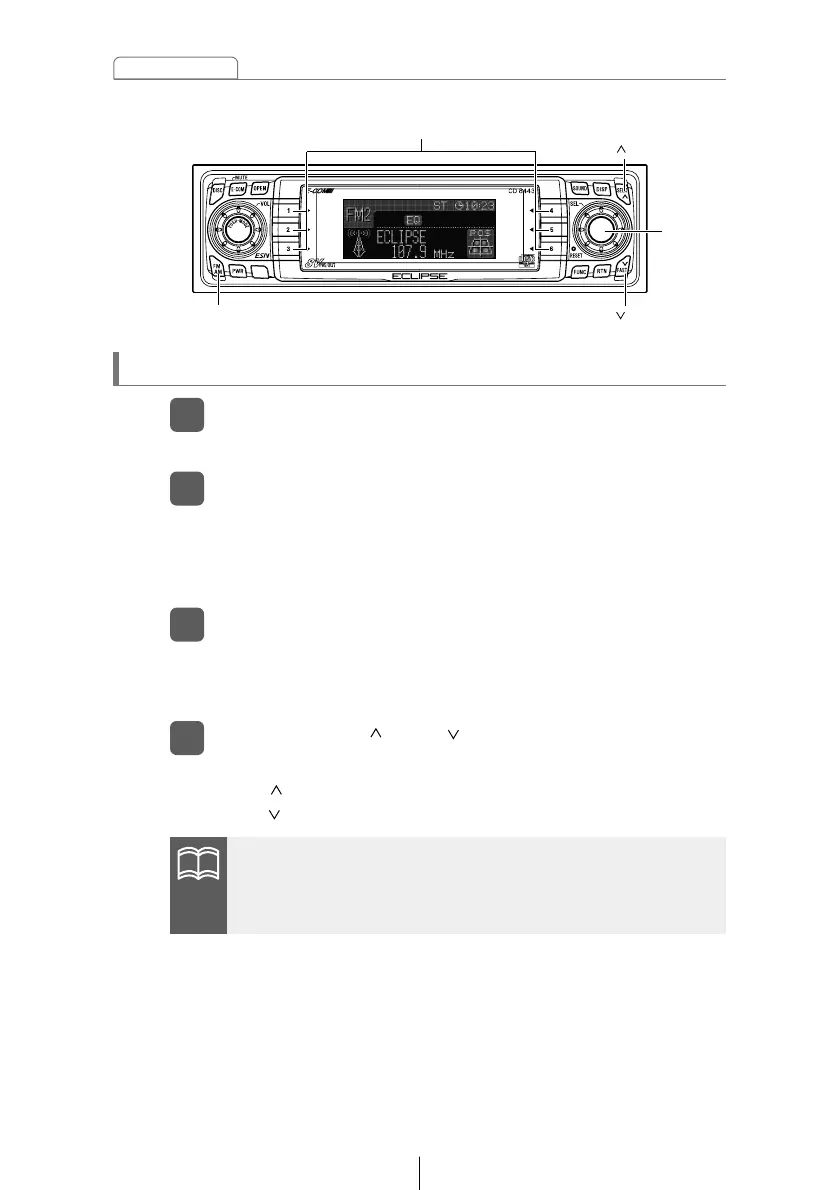
Press the [FM AM] button.
1
This will turn the tuner on.
Press the [FM AM] button to switch to the desired FM or
AM bands.
2
For example, radio bands will switch from FM1 ➔ FM2 ➔ FM3
➔ AM1 with each press of the button. (Depends on memory
function setting, described on page 63.)
Turn the [SEL] button to the left or right to tune to a
station.
3
If stations have been stored in memory, pressing a button
from [1] to [6] will directly select a station. (Refer to the section
“Manually setting stations into memory” on page 58)
Turn to the right: Tunes to higher frequencies.
Turn to the left: Tunes to lower frequencies.
Press the [SEEK /FAST ] button to start the automatic
station search.
4
[SEEK ] button: Starts searching toward higher frequencies.
[FAST ] button: Starts searching toward lower frequencies.
[FM AM] button
[SEEK ] button
[FAST ] button
Buttons [1] to [6]
[SEL]
button



 To Next Page