84
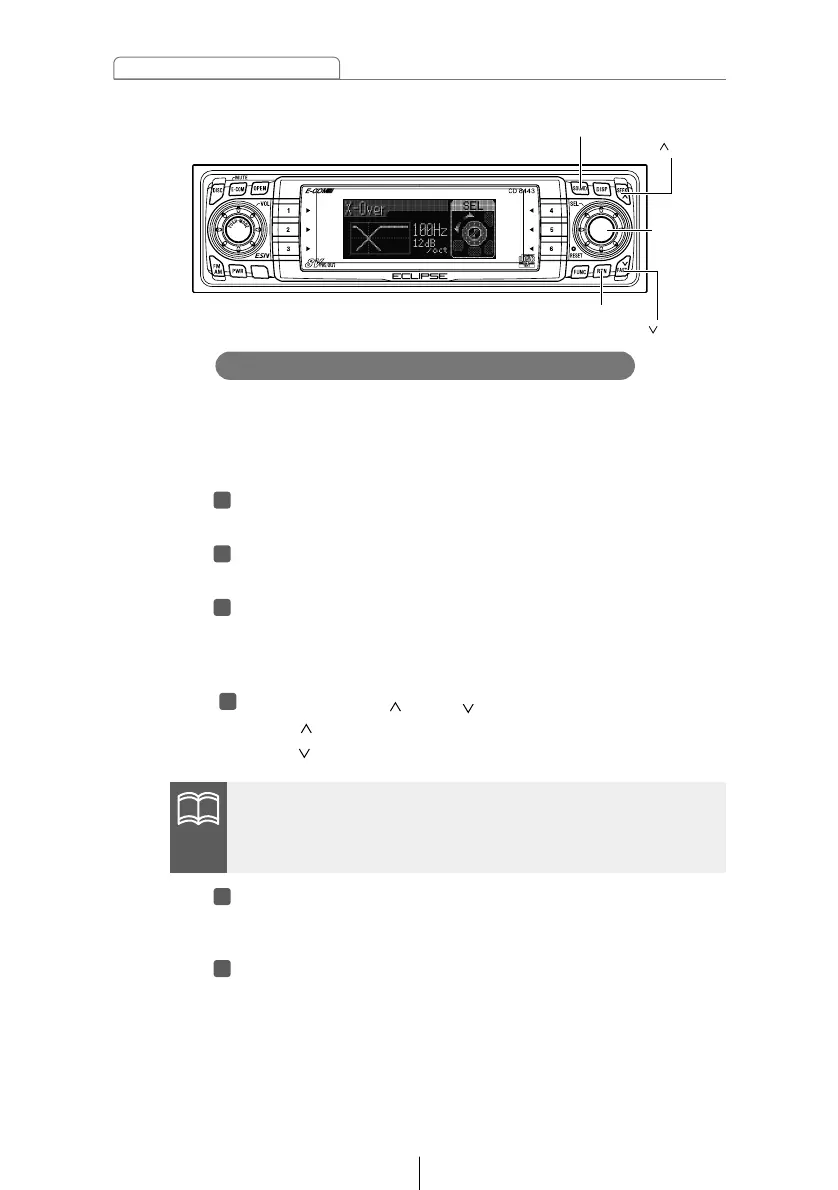
How to operate the Sound Adjustment Mode
The frequencies for the front and rear speaker high-pass filter
(HPF) and woofer low-pass filter (LPF) can be set within a
range of 63 to 200 Hz. (This is the same as the HPF and LPF
cutoff frequencies.)
Turn the [SEL] button to select X-Over.
The selected item will be highlighted.
Press the [SEL] button.
The mode will change to crossover setting mode.
Turn the [SEL] button to select the cut-off frequency.
When the button is turned, the frequency changes in the
following order.
63Hz ↔ 80Hz ↔ 100Hz ↔ 125Hz ↔ 160Hz ↔ 200Hz ↔
Press the [SEEK /FAST ] buttons to set the slope.
[SEEK ] button: PASS
[FAST ] button: 12dB/oct
Press the [RTN] button.
At this time, other adjustments can also be made in normal
mode.
Press the [SOUND] button for less than one second to
exit sound adjustment mode.
If no woofer has been connected, set the slope adjustment to
"PASS". (If you set the slope to 12 dB/oct, the bass sound will not
be output from the speakers.



 To Next Page