fi-5000N Operator’s Guide AP-1
A
APPENDIX Using User Authentication
by Fingerprint
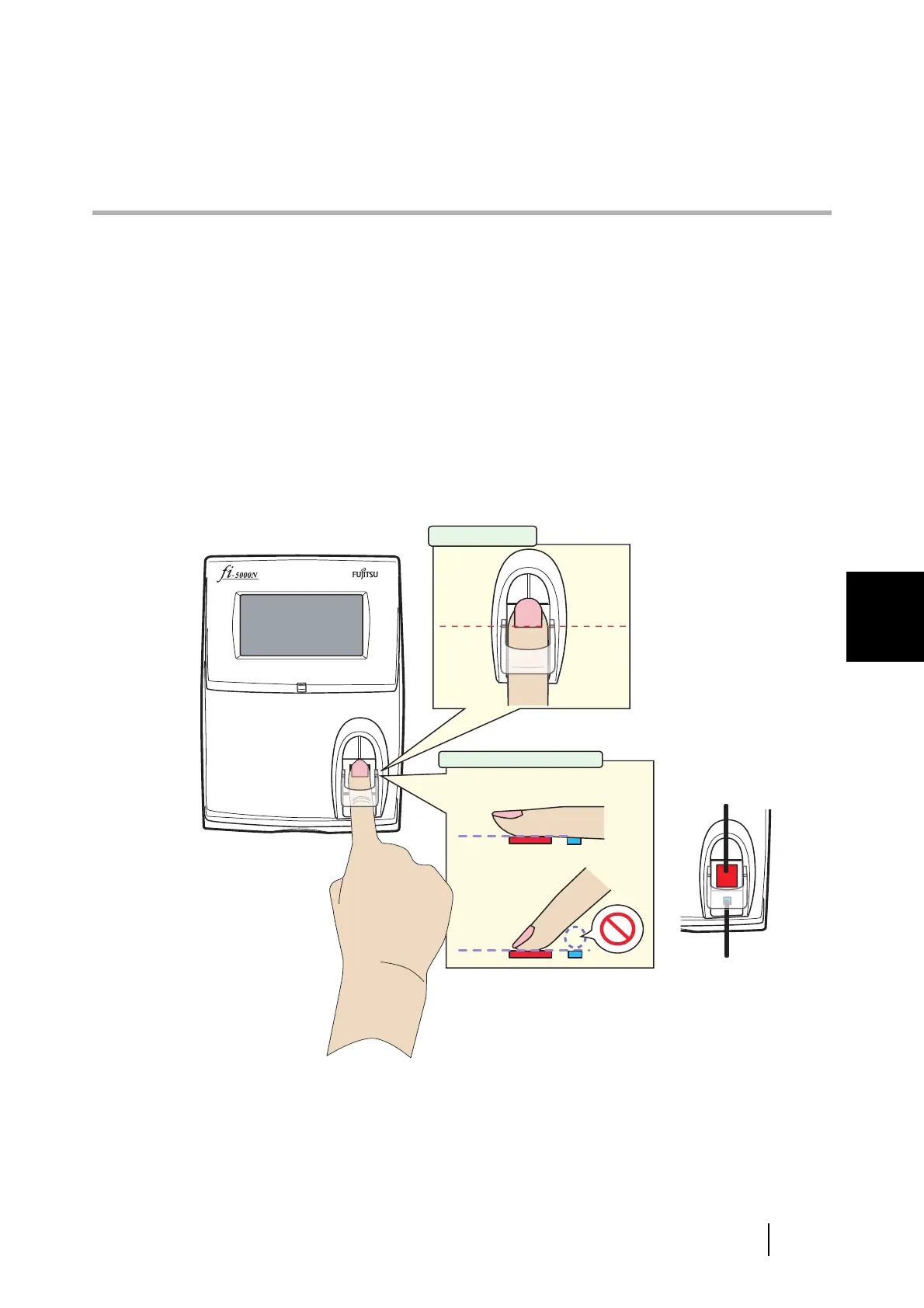
■ How to place your finger on the sensor
Pay attention to the following points when performing fingerprint registration or authentica-
tion.
• For reliability, align your finger such that the virtual line connecting the white position-
ing marks on the both sides of the fingerprint sensor crosses the base of your fingernail,
and press your finger to the sensor.
To confirm the correct way to place your finger, click here to view the movie.
• Make sure your finger covers the finger (detection) sensor. (Do not let your finger float
away from the sensor.)
To confirm the correct way to place your finger, click here to view the movie.
Fingerprint Sensor
Finger Sensor
Correct
Incorrect
Finger Position
Finger Placement



 To Next Page