5.6 Managing Scanner Information
fi-5000N Operator’s Guide 59
Installing and setting the fi-5000N Software
5
5.6 Managing Scanner Information
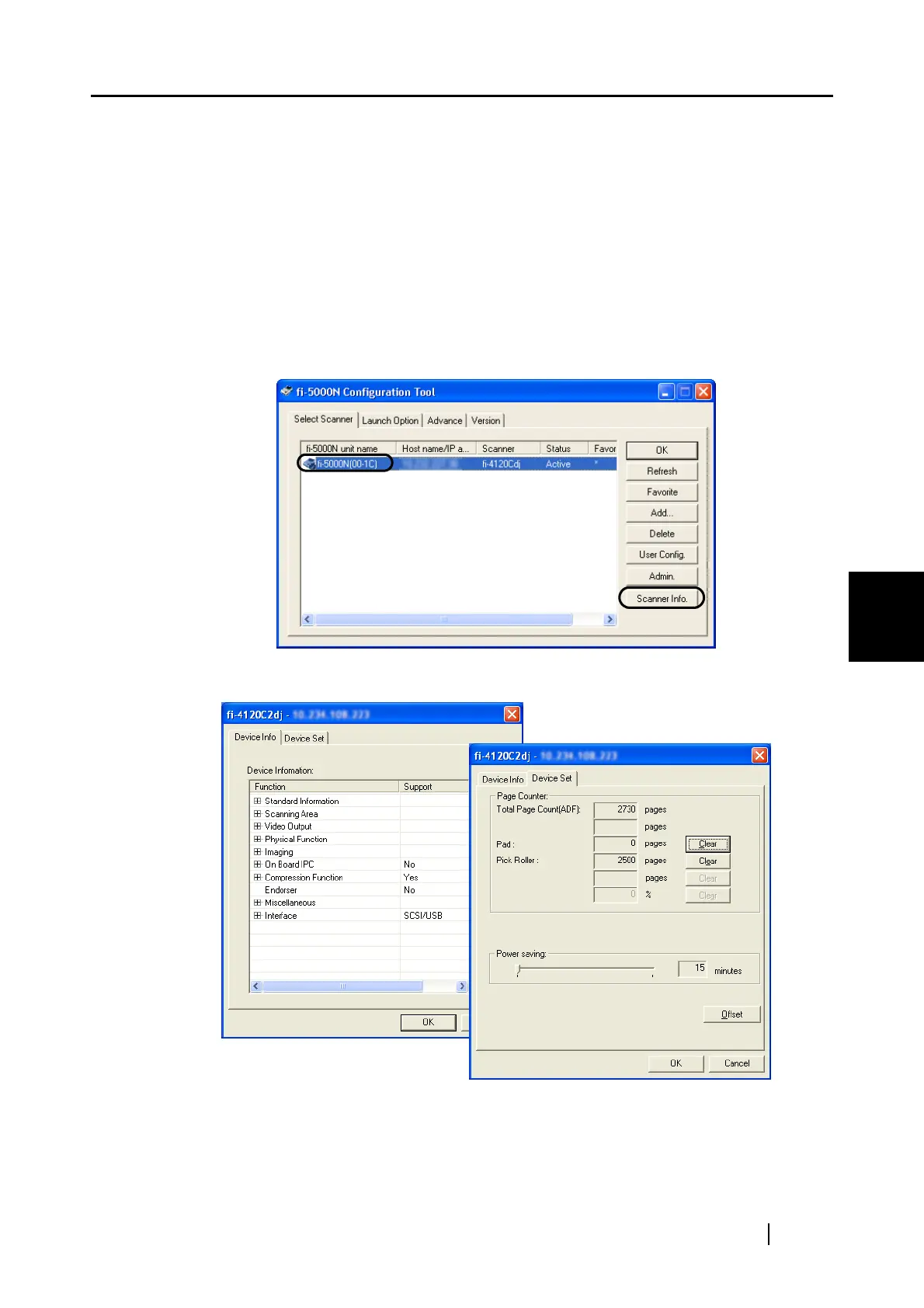
With the scanner information management function, you can display the information of the scanner
connected to an fi-5000N, reset the consumables counter, configure the power saving mode, and
adjust the offset setting.
■ How to Start
Select an fi-5000N from the List View on the main screen on fi-5000N Configuration Tool, and
click the [Scanner Info.] button.
⇒The following screen appears.
To change the settings at the [Device Set] tab, the Administrator PIN is required.



 To Next Page