12
3.1 Installing the Scanner
Install the scanner following the installation requirements described in your fi-series scanner man-
ual.
3.2 Installing the fi-5000N
1. Place the fi-5000N at its installation site.
Install this product near the scanner. Install it in a place that does not affect the operation or
maintenance of the scanner.
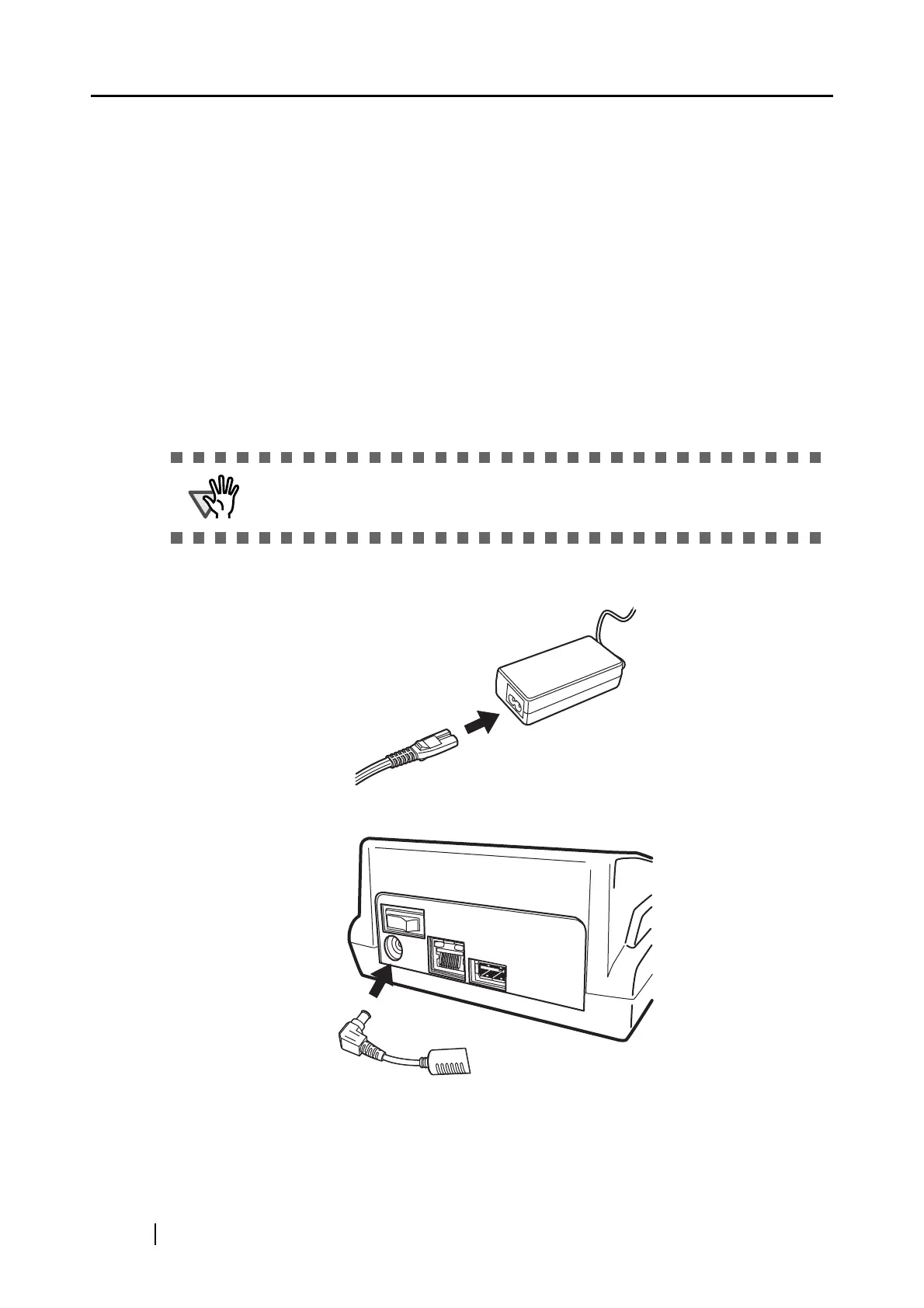
2. Connect the AC adapter.
1. Connect the AC cable to the AC adapter.
2. Connect the AC adapter connector to the fi-5000N’s DC inlet.
3. Plug the AC cable into the outlet.
ATTENTION
Use only the AC adapter and AC cable provided by the manufacturer.



 To Next Page