56
5.5 fi-5000N Administrator Settings
The administrator can confirm or change the device information of fi-5000N using
the administrator configuration function.
To use this function, the Administrator PIN is required.
■ How to Start
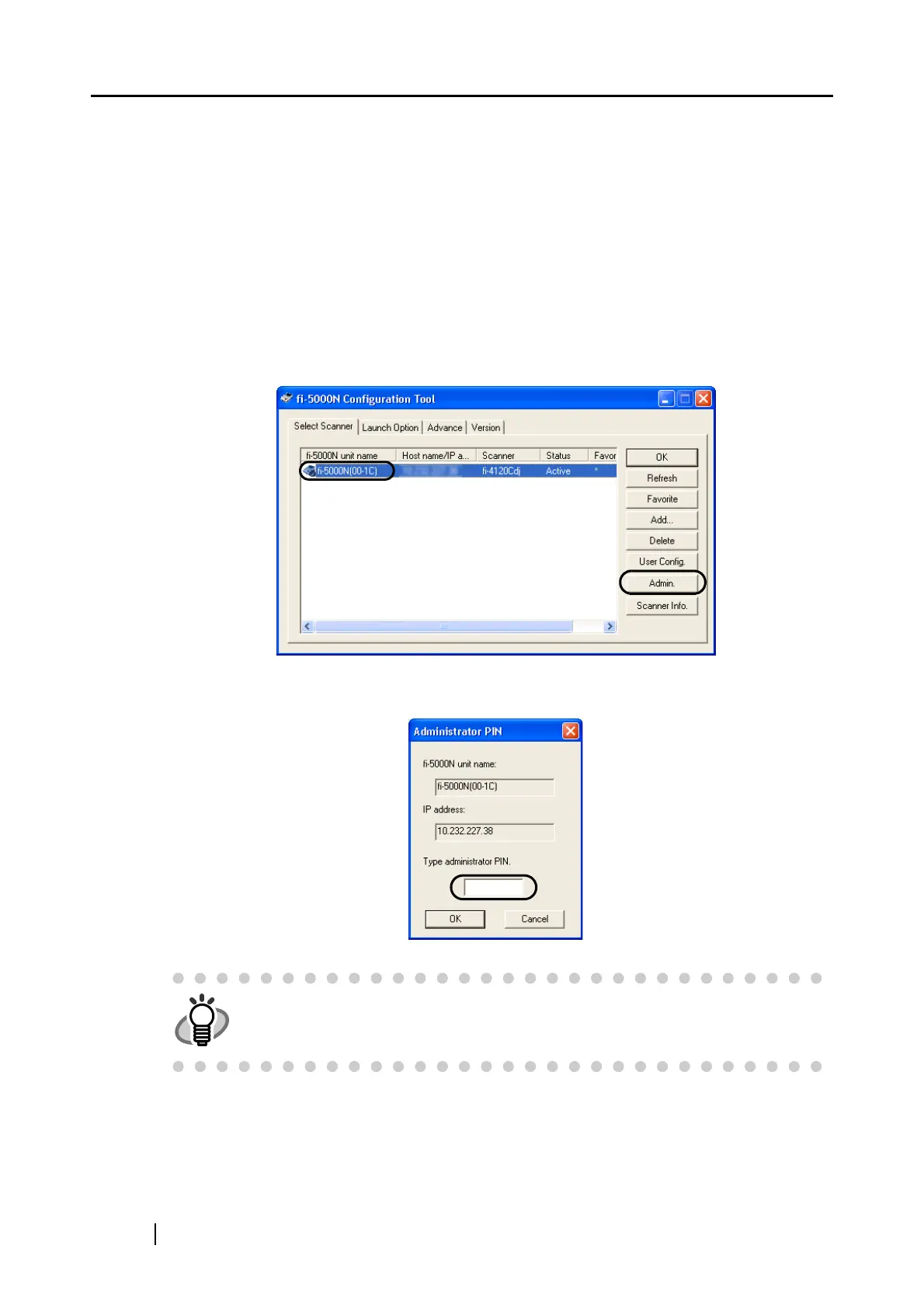
1. Select an fi-5000N from the List View on the main screen on fi-5000N Configuration
Tool, and click the [Admin.] button.
2. The following screen appears. Enter the Administrator PIN, and click the [OK] button.
HINT
The default Administrator PIN is "5000".



 To Next Page