5.5 fi-5000N Administrator Settings
fi-5000N Operator’s Guide 57
Installing and setting the fi-5000N Software
5
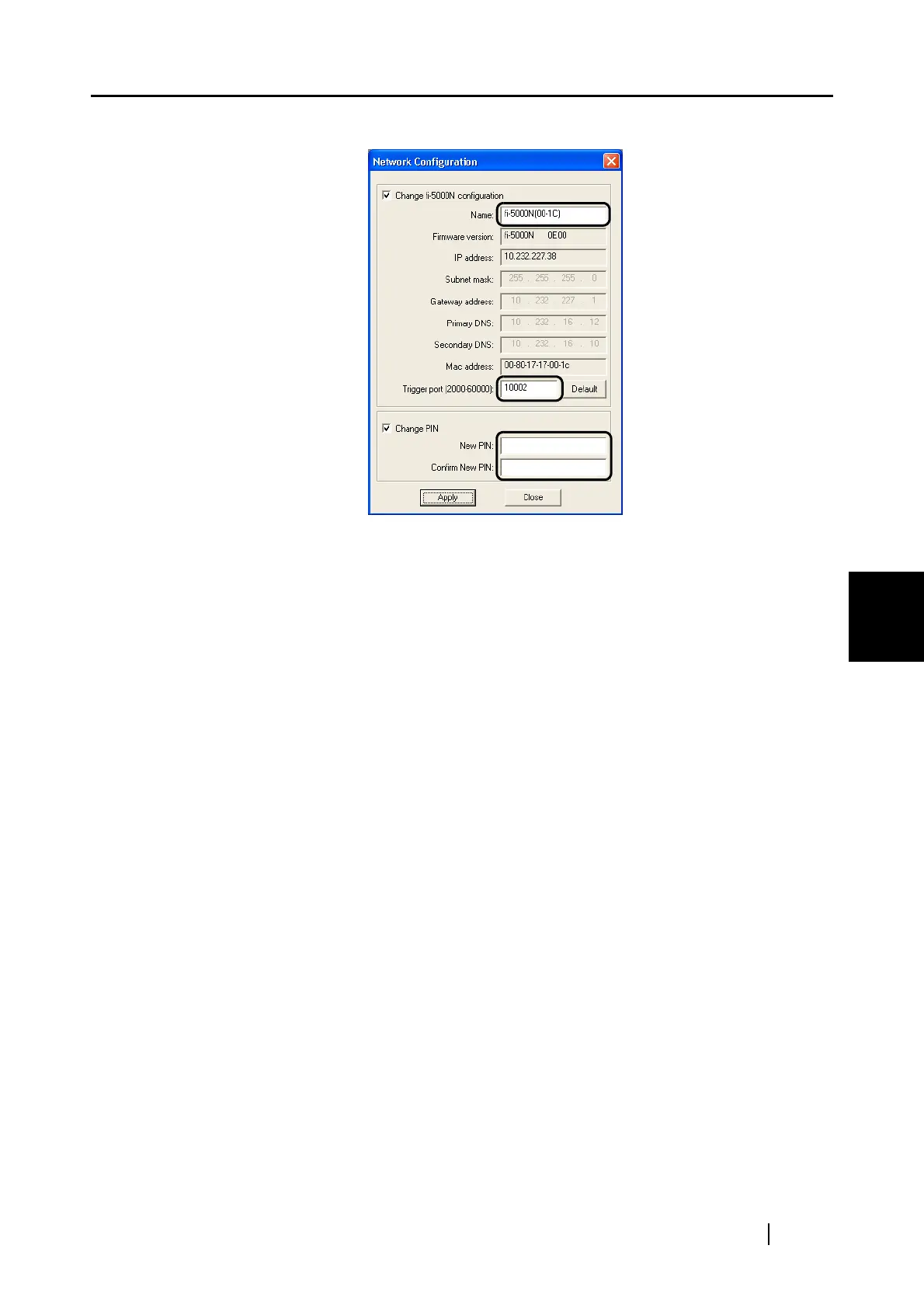
⇒The following screen appears.
The following settings can be configured.
■ Changing the fi-5000N unit name
The currently selected name of fi-5000N is displayed in "Name:"
To change, follow the procedure below.
1. Select the "Change fi-5000N configuration" check box.
2. Enter a name in the edit box.
Enter up to 20 characters.
3. Click the [Apply] button.
■ Changing the Trigger Port on the fi-5000N
The currently selected trigger port number for the fi-5000N is displayed.
To change, follow the procedures below.
1. Select the "Change fi-5000N configuration" check box.
2. Enter a number into the edit box.
Enter a number between 2000 and 60000. The default is 10002.
3. Click the [Apply] button.



 To Next Page