44
5.2 fi-5000N Software Overview
■ Starting fi-5000N Configuration Tool
To start the fi-5000N software, from the [Start] menu, select [All Programs] -> [fi-5000N Soft-
ware] -> [fi-5000N Configuration Tool].
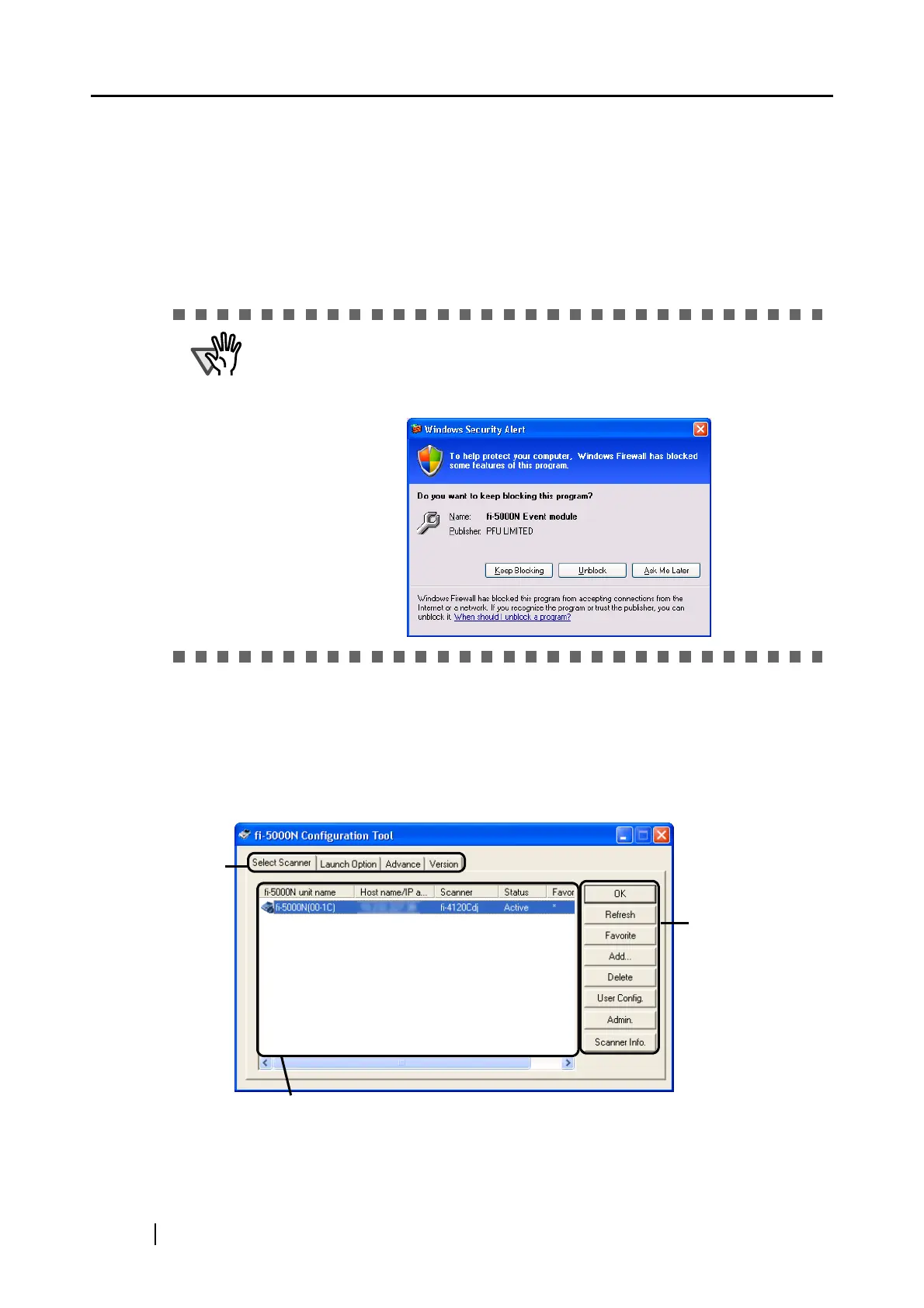
■ [Select Scanner] Tab (Main Screen)
This screen (in which the [Select Scanner] tab is selected) is the main screen.
All kinds of administrative settings of fi-5000N can be done from this screen.
ATTENTION
If Windows XP Service Pack 2 is installed, [Windows Security Alert] dialog
box may appear when starting up fi-5000N Software. If [Keep Blocking] is
selected with Windows firewall, PC cannot communicate with fi-5000N. In
this case, click [Unblock] to start the program.
Tabs
List View
The fi-5000Ns connected to the network are displayed in a list.
Buttons



 To Next Page