52
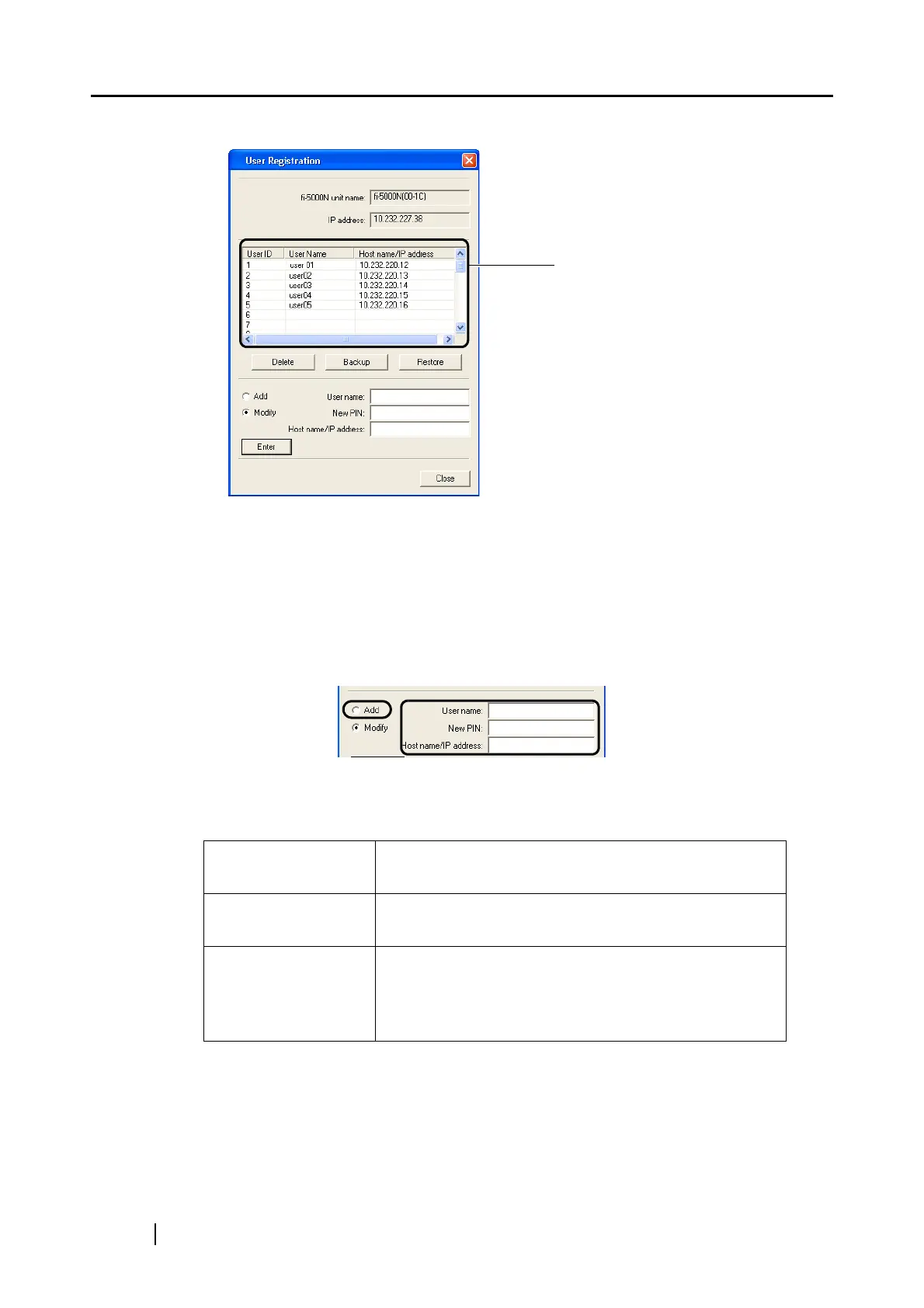
⇒The following screen appears.
The following settings can be configured.
■ Registering Users
Register a new user onto the fi-5000N with the following procedure.
1. Select [Add].
2. Enter the "User name", "New PIN", and "Host name/IP address", and click the [Enter]
button.
List View
The user names registered in
fi-5000N are displayed in a
list.
User Name Enter the user name up to 16 characters. You cannot
leave it blank.
New PIN Fill in the User PIN up to 6 digits. You cannot leave it
blank.
Host name/
IP address
Enter the IP address or the host name of the PC used by
the user. You cannot leave it blank.
Example: IP Address: 192.168.1.200
Host name: pc.fi-domain.xx.jp



 To Next Page