fi-5120C / fi-5220C Image Scanner Operator Guide
TROUBLE SHOOTING
CONTENTS MAP
TOP
3.6SavingScannedImagesinPDFFormat(4)
1 2 3
4
5 6 7 8
Using Adobe Acrobat
1. Load the documents on the ADF paper chute or flatbed.
2. Start up Adobe Acrobat.
Select [All Programs] - [Adobe Acrobat] from the [Start] menu. This starts up Adobe Acrobat.
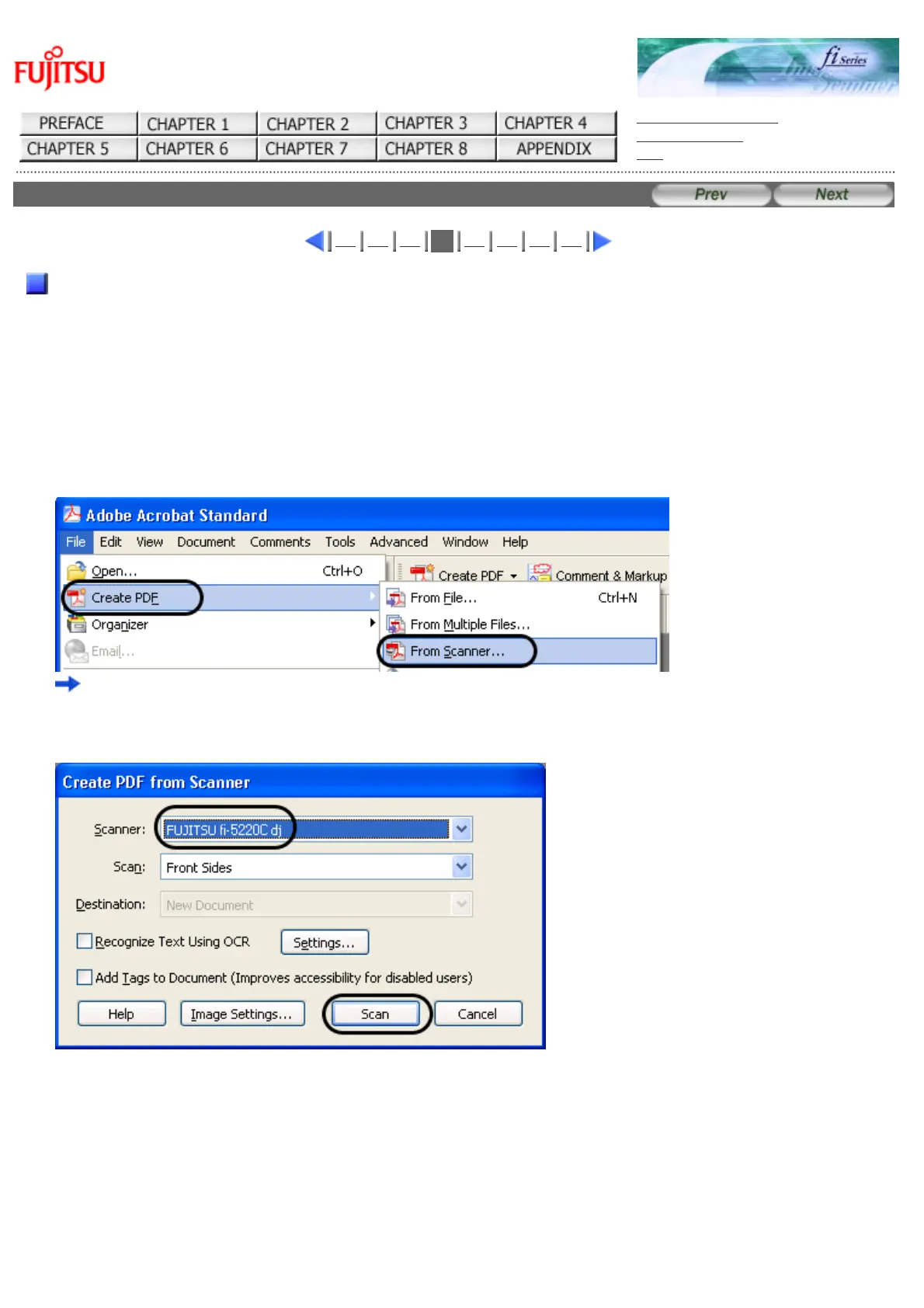
3. From the [File] menu select [Create PDF] - [From Scanner].
"Acrobat Scan Plug-in"dialog box is displayed.
4. Select "FUJITSU fi-5120Cdj or "FUJITSU fi-5220Cdj" at [Scanner] and click [Scan] button.
file://///Hd-htgle21/Manual/fi-5120C5220C-lynx2/OG/R03/contents/EN/03/c030604.htm(1/2)2006/08/2916:00:36












 To Next Page