72 U41578-J-Z875-1-76
Appendix
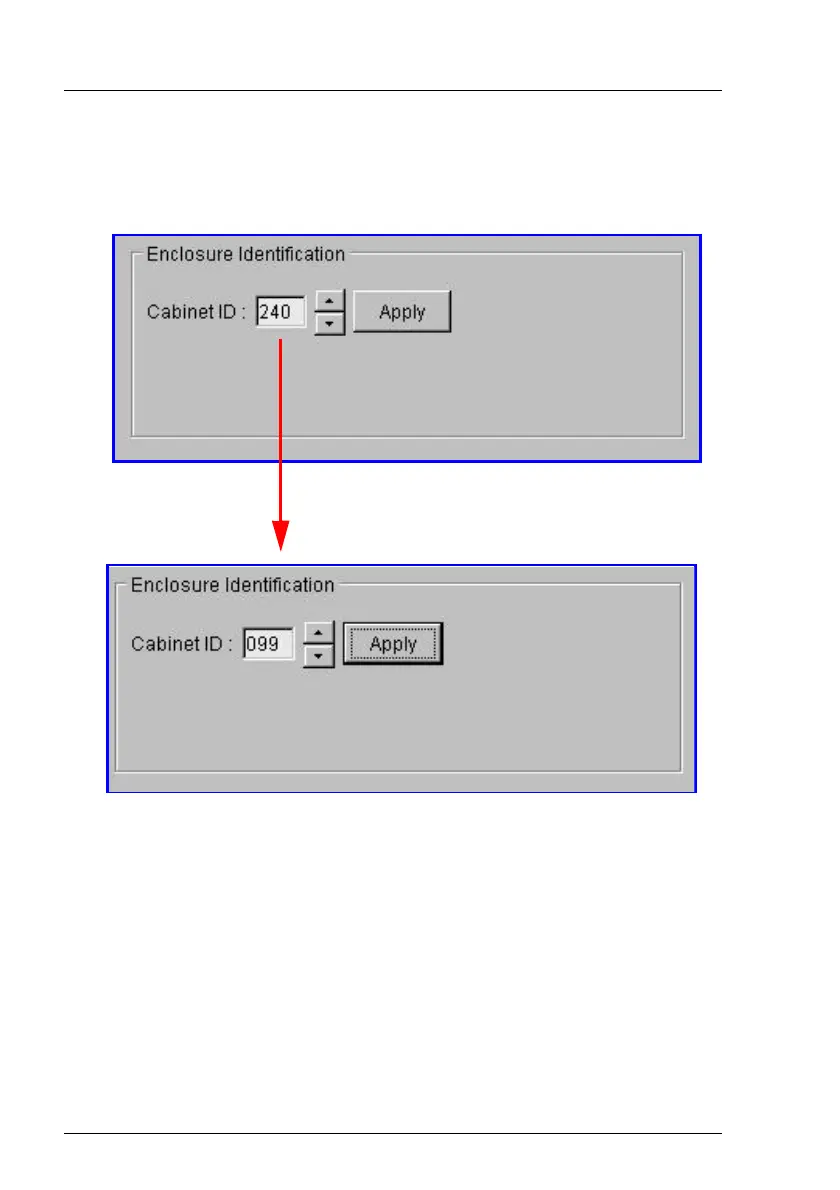
To change the Cabinet ID, click the Enclosure icon on the menu tree . A list of
information will be displayed. Click the Configuration folder. The following box
will appear:
This form also has another powerful function behind the ON radio button in the
Enclosure Control box. If you select this button and then Apply, the corre-
sponding LEDs of the configured magnetic disk drive you have selected in the
shelf will start to flash. This method can be used to identify any duplicate ID
numbers.
Change the number here for example, from 240 to 099 and then click
the Apply button.
Cabinet IDs can be in the range from 1 to 255.
CAUTION: Do not use 0 as an ID. Zero indicates
that the cabinet is not configured.







 To Next Page