Copyright 2011 – FUJITSU ISOTEC LIMITED
FP-1000 Installation Guide-2 1.1.0.0
56 of 57
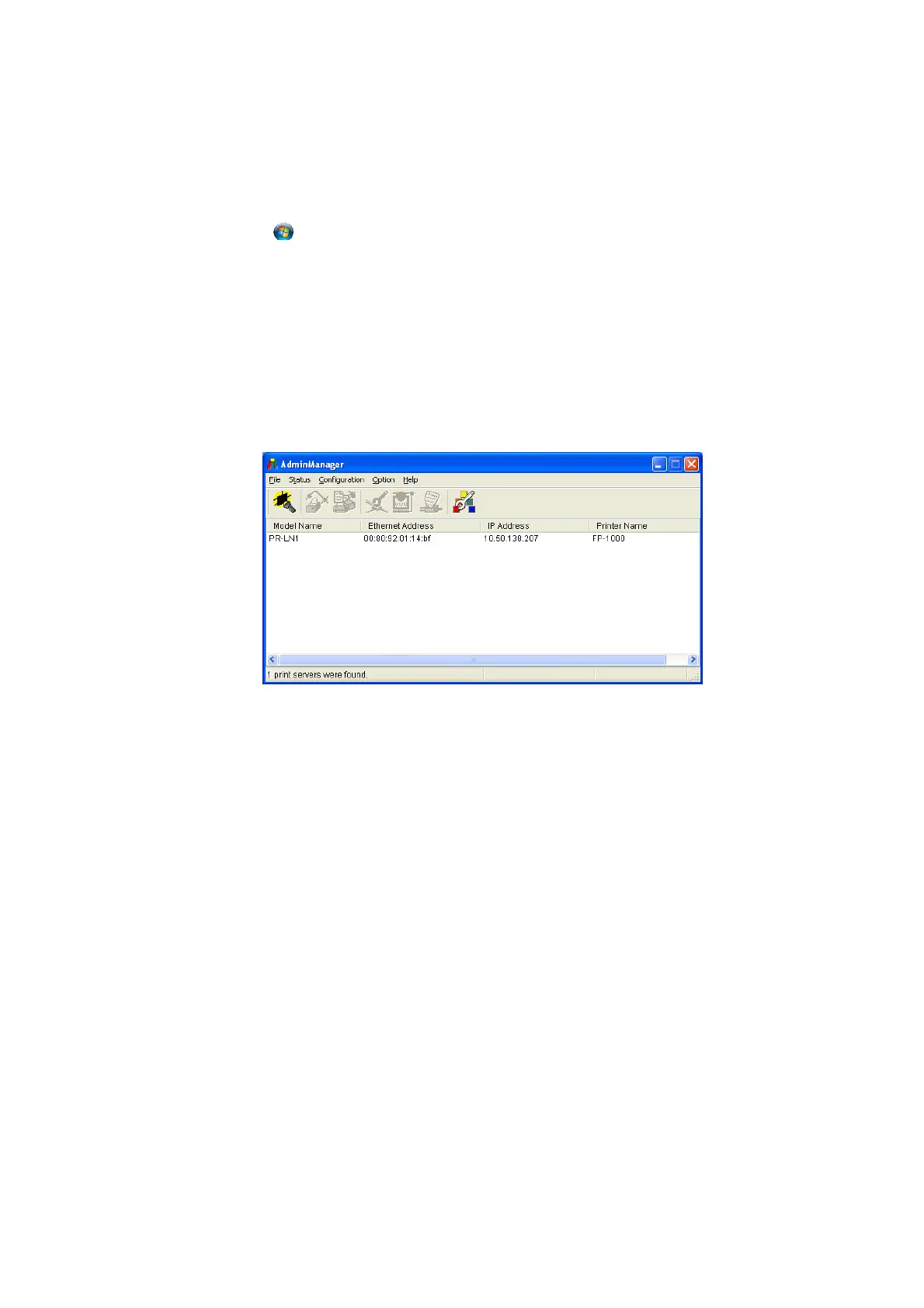
10.3 Starting AdminManager
* On Windows Vista and Windows 7, the [User Account Control] dialog box may appear. In this case, select
[Allow].
For Windows 7/Vista
1. Click the
Windows logo button in the lower-left corner of the desktop screen.
2. Click [All Programs] [PRLN1 AdminManager] [AdminManager].
For Windows XP/Windows Server 2008 R2/Windows Server 2008/Windows Server 2003/WEPOS
1. Click [Start] [All Programs] [PRLN1 AdminManager] [AdminManager].
For Windows 2000
1. Click [Start] [Programs] [PRLN1 AdminManager] [AdminManager].
* Refer to “Chapter 4 CONFIGURATION-RELATED FUNCTIONS” in the PR-LN1 Online Manual for details
on how to use the program.



 To Next Page
 Loading...









