Copyright 2011 – FUJITSU ISOTEC LIMITED
FP-1000 Installation Guide-2 1.1.0.0
45 of 57
8.3 Setting the IP address
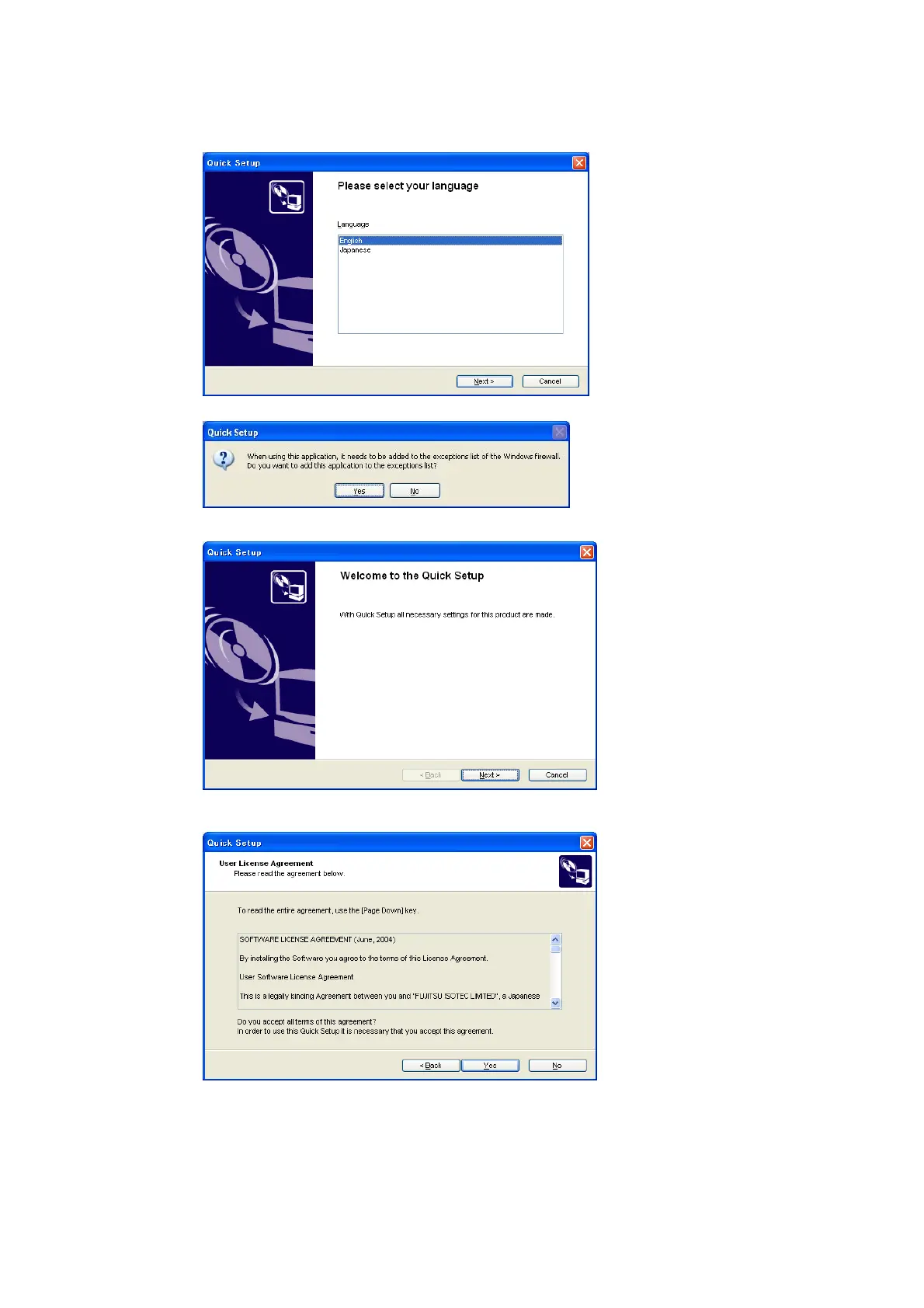
(1) Select “English” and then click [Next].
(2) If the following dialog box appears, click [Yes].
(3) When finished, click [Next].
(4) Click [Yes].



 To Next Page
 Loading...









