Copyright 2011 – FUJITSU ISOTEC LIMITED
FP-1000 Installation Guide-2 1.1.0.0
7 of 57
b) Starting the installer:
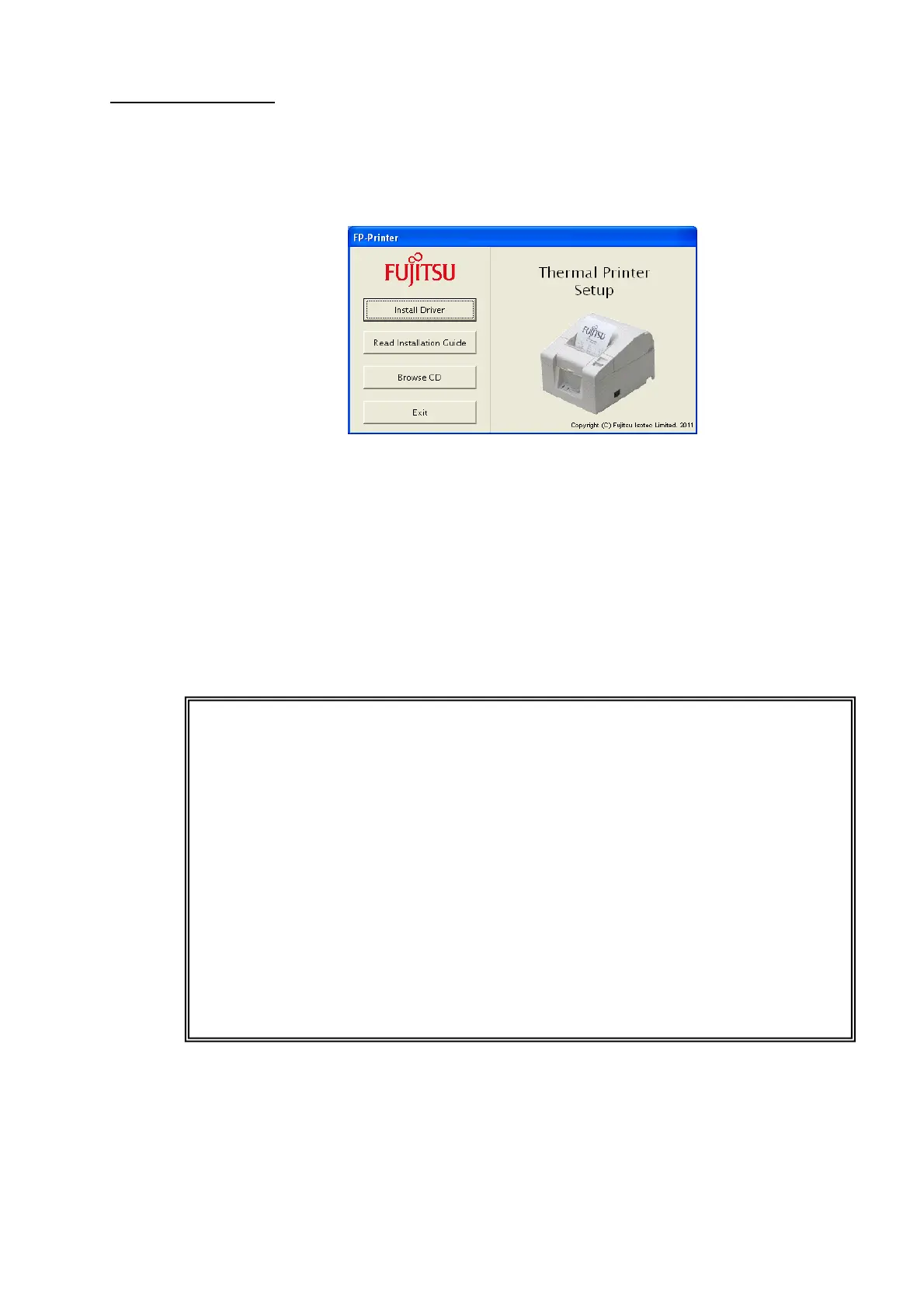
The menu screen shown below appears when you insert the driver kit CD.
If the menu screen does not appear, run [Run.vbs] on this CD.
For Windows 7/Windows Vista/Windows Server 2008
• Click [Run wscript.exe] when the [Auto Play] screen is displayed.
• Click [Install Driver] to open the driver installation screen. This CD contains two different drivers.
For more information about how to install each driver, see the following chapters.
• Windows driver : "3.1 Windows driver installation"
• OPOS driver : "3.2 OPOS driver installation"
• Click [Browse CD] to open Explorer and browse the folders on the CD drive.
• Click [Read Installation Guide] to display the Installation Guide.
• Click [Exit] to exit.
Notes
• What is the Windows driver:
A printer driver for printing from Windows applications (Word, Excel, etc.).
Main features: Printing of two-dimensional codes and various bar codes
Printing on different paper types including custom paper types
Two-color printing
Drawer opening function
Refer to the driver Help for more information about the driver features.
• What is the OPOS driver:
A printer driver for developing POS systems that comply with the OPOS (OLE POS
Technology Council) specification.
For more information, refer to the "OPOS-OCX Driver Application Programmer's Guide."



 To Next Page
 Loading...









