34 / 125
4. Inserting Paper for Printing
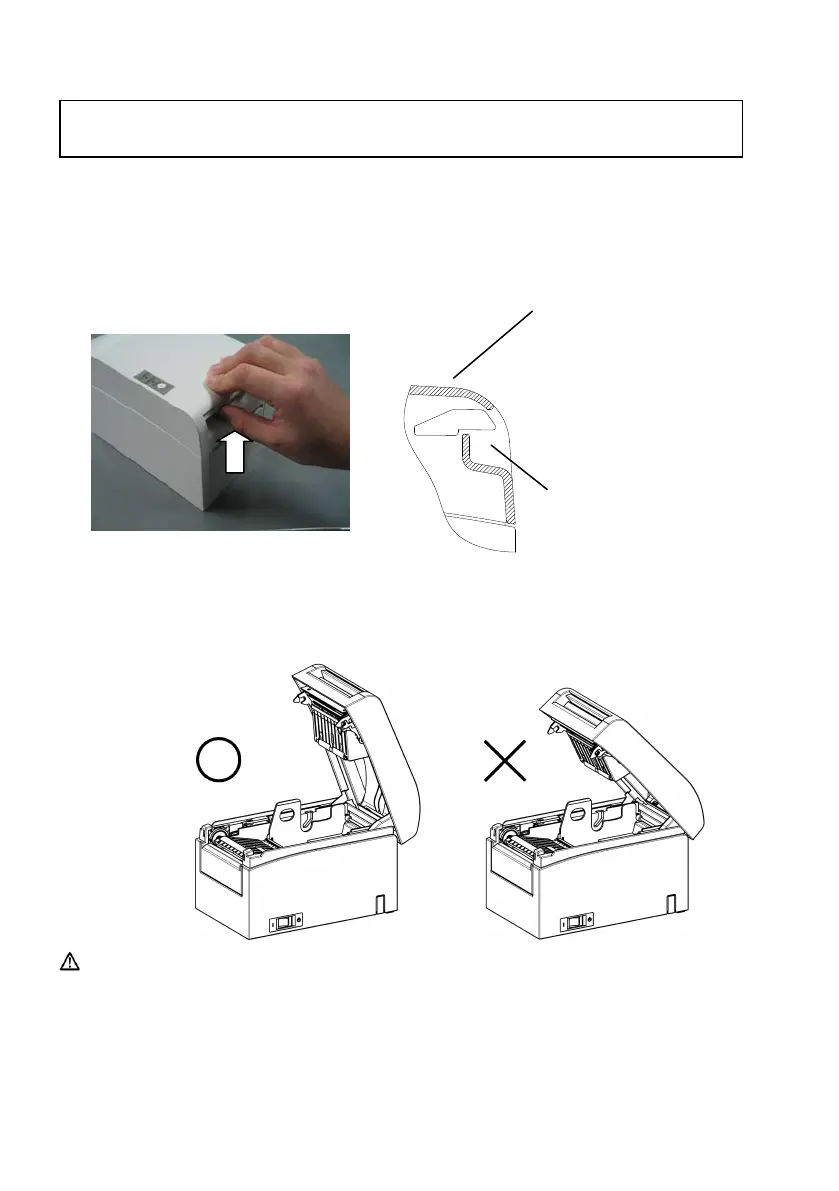
(1)Grasp the top cover, pull up the cover release lever, and
open the top cover.
(2) When manipulating the top cover, note that the cover seems to
lock in position before it is open completely. Make sure that the
cover is really open completely as shown in the picture below.
Caution: If the top cover is not open completely during maintenance, it may
close inadvertently.
4. Inserting Paper for Printing
Bottom part of the cover
release lever
Top part of the top cover
▲
▼













 To Next Page