Getting started
Getting s tarted
Gettingstarted
Please observe the safety information in the "Import ant notes", Page 6 chapter.
Ports and operating elements
Ports
This chapt er presents the ind ividual hardware components of your device. This will provide
you w ith an overview of the ports and operating elements on the device. Please familiarise
yourself with these components before starting to work with your device.
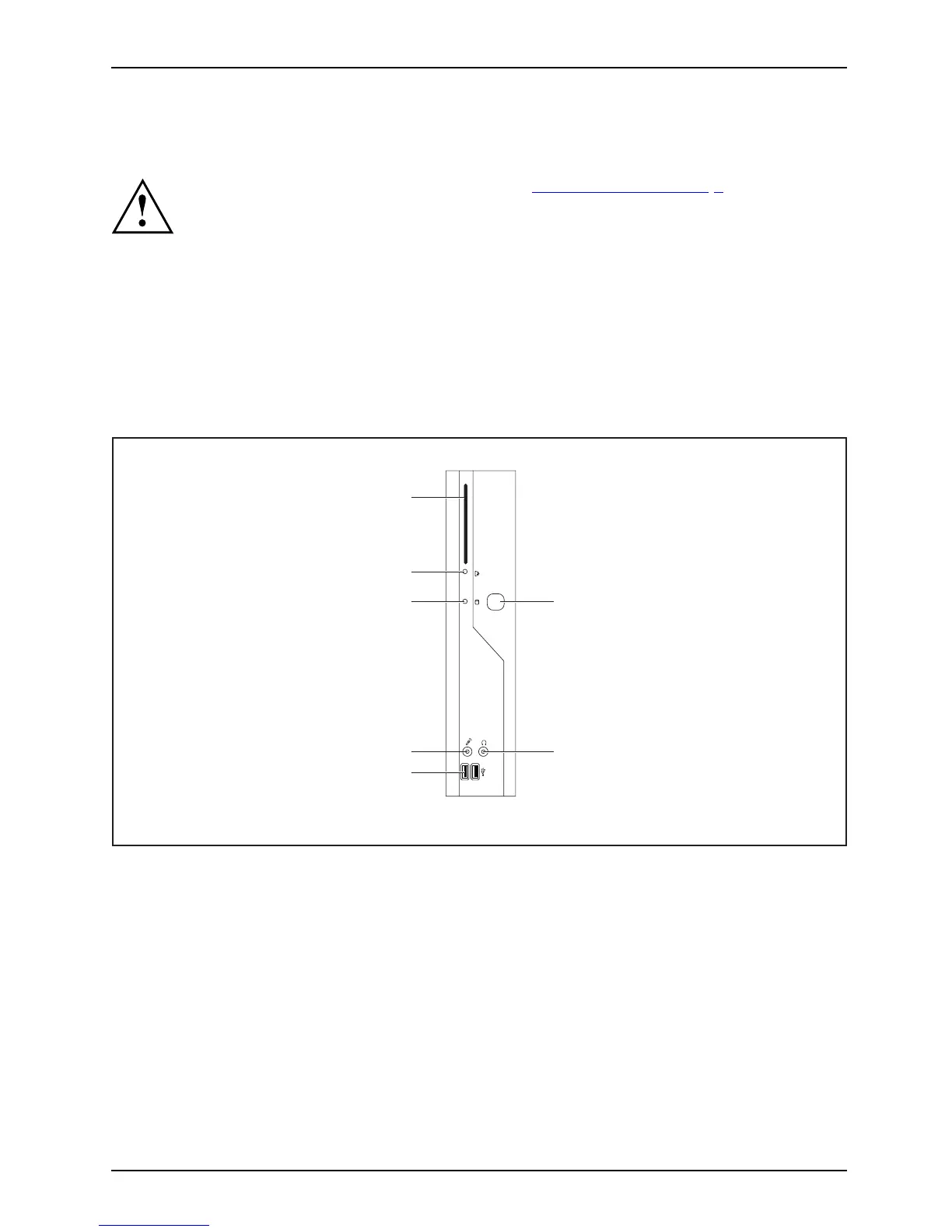
Front view
OnswitchOffswitchPower-onindicatorSmartCardr eaderFlashmemoryaccessHeadphonepor tAudiooutputMicrophone portUSB
5
4
3
2
6
7
1
1 = SmartCard reader
2 = Indicator for SmartCard
reader
3 = Flash memory access
4 = Microphone jack
5 = USB ports (Universal Serial Bus)
6 = ON/OFF switch
7 = Headphones port, aud io output (Line Out)
Fujitsu Technology Solutions 9



 To Next Page