System expan sio ns
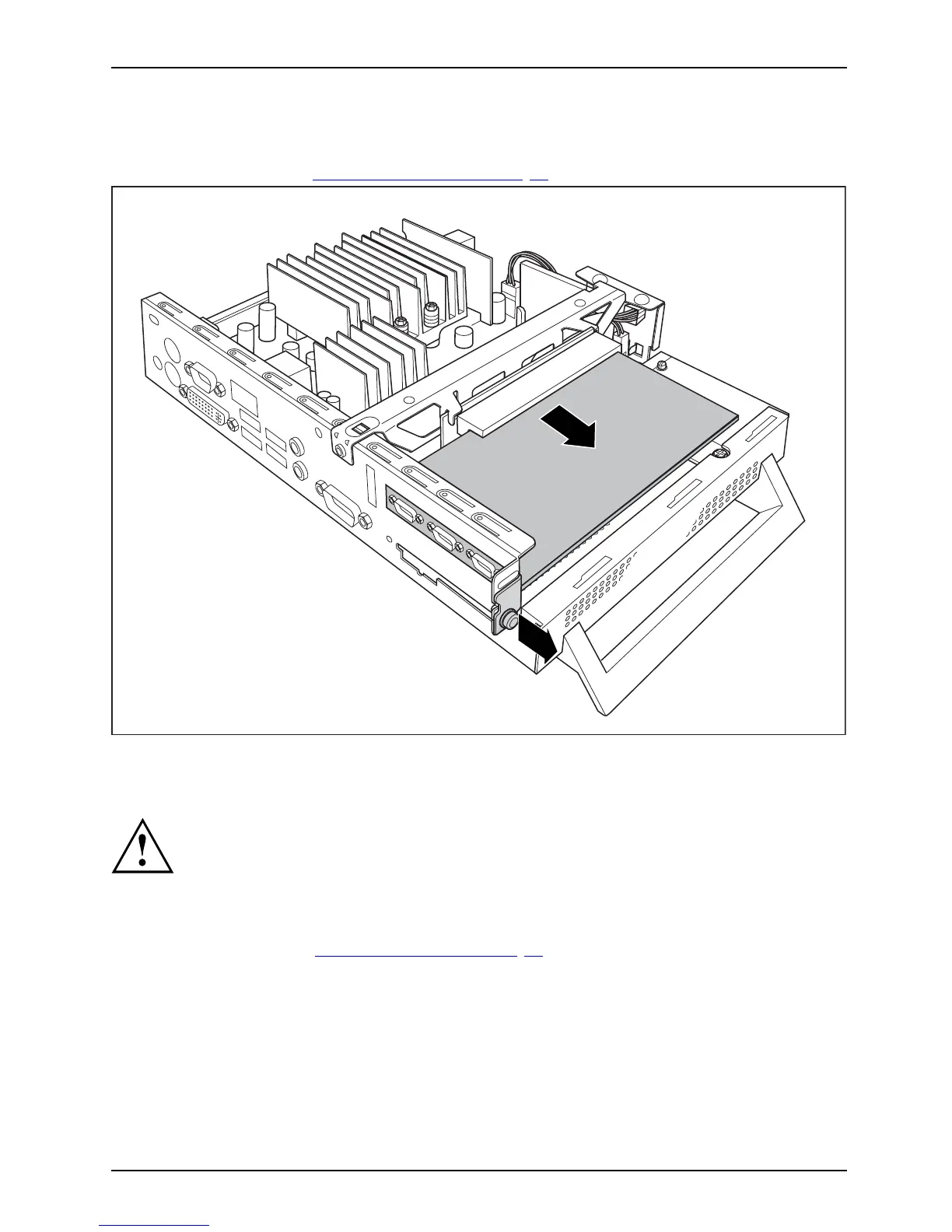
Removing the PCI board
PCIboard
► Op en the casing (see "Opening th e casing", Page 22).
1
2
► Loosen the screw (1).
► Remove the PCI board from the riser c ard (2).
You must reinstall the rear slot cover plate due to cooling, fire protection and the EMC
regulations (regulations on electromagnetic compatibility) to be complied with.
► Now reinstall the rear slot cover plate by inserting it in the installation slot from
the inside and securing it with the screw (1).
► Close the casing ( see "
Closing the casing", P age 2 3).
Fujitsu Technology Solutions 27


 To Next Page