Getting Started
Chapter 4 Installation of the Emulation System
© Fujitsu Microelectronics Europe GmbH - 13 - MCU-AN-391005-E-V17
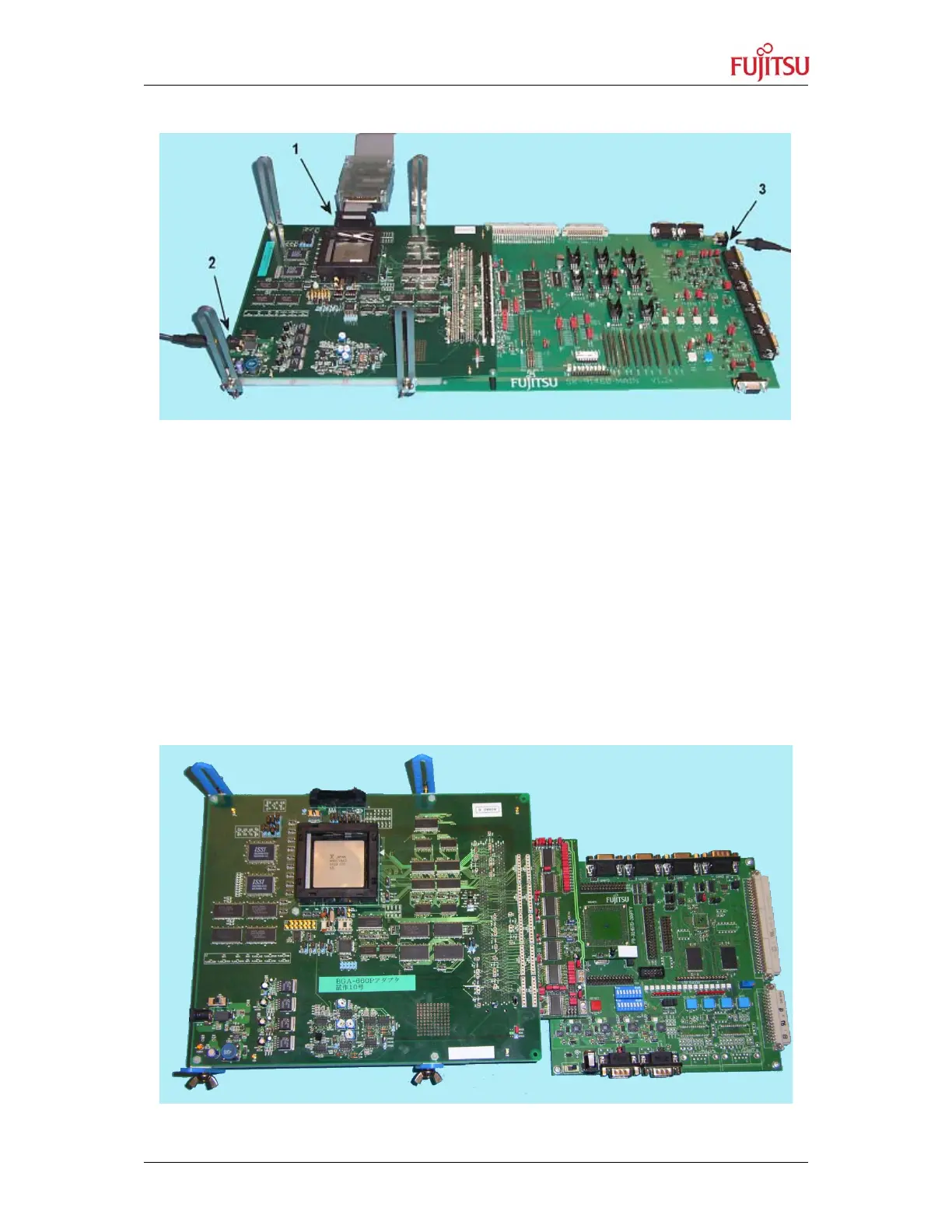
Figure 6 shows the cabling of the adapter and evaluation boards.
Figure 6: Cabling the Adapter Board and Evaluation Board
4.3.3.2 Connecting the Adapter Board to the SK-91F467D-208PFV
1. Connect the adapter board with the probe cable. Be aware, that the boards are tight
connected.
2. Unscrew the YQ-PACK of the SK-91F467D-208PFV and remove carefully the
microcontroller from the socket.
3. Connect the probe cable PB-91467D-208PFV to the SK-91F467D-208PFV and
tighten the screw.
The same procedure applies for the probe cable PB-91467D-LS-208PFV.
Figure 7 shows the connected boards.
Figure 7: Connected Adapter Board, Probe Cable and Evaluation Board


 To Next Page