Getting Started
Chapter 7 Setup / Change Connection PC – Emulation System
MCU-AN-391005-E-V17 - 40 - © Fujitsu Microelectronics Europe GmbH
7.3.6 Softune Workbench
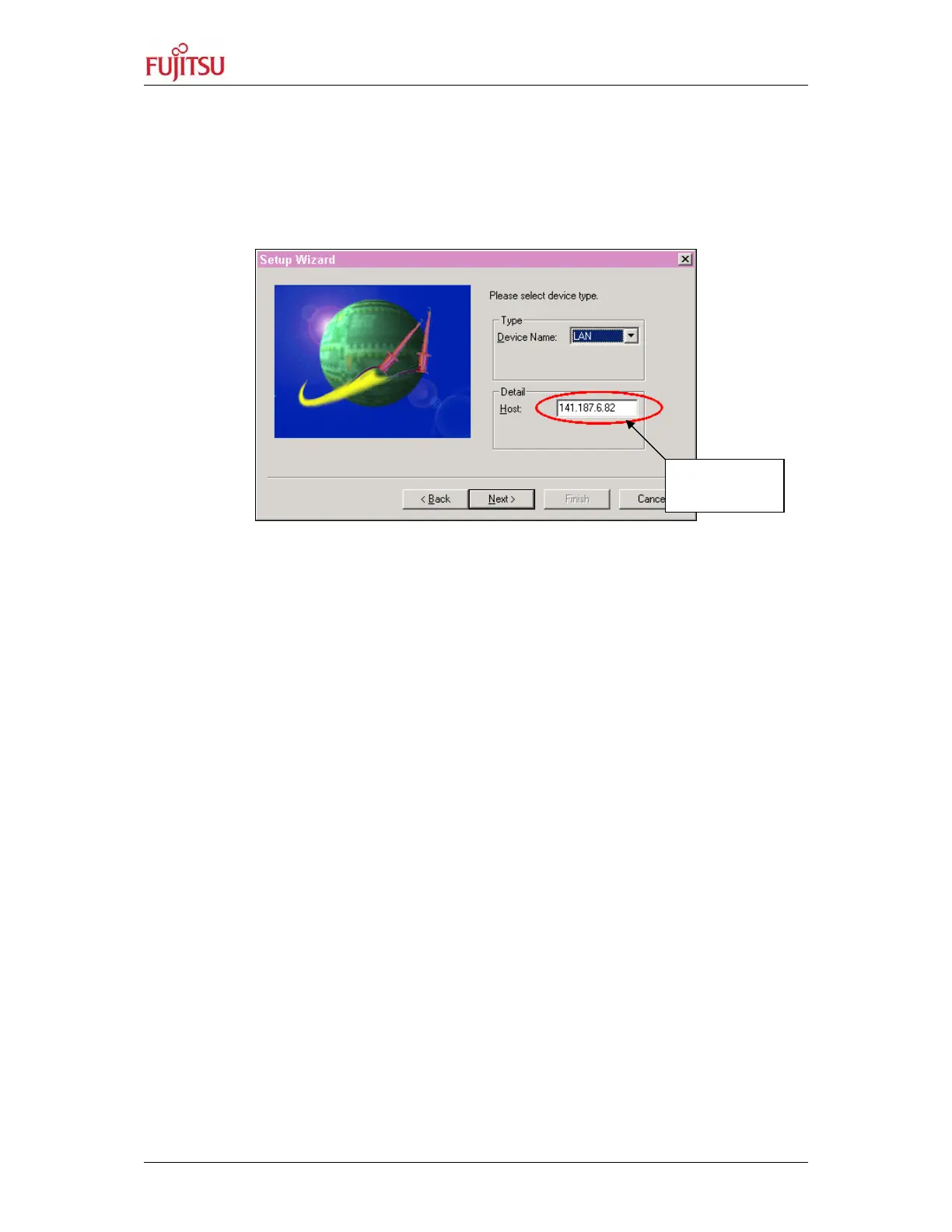
Within the Softune Workbench the LAN interface can be used instead of a serial
RS232C communication. Detail-Host: can be the „nickname“ as defined in the files
hosts and lmhosts or the IP-address of the emulator, set by the program „LAN-
Address“, can be used.
Figure 29: Changing the IP-Address of the Host in the Softune Workbench
Nickname or
IP address


 To Next Page