Getting Started
Chapter 7 Setup / Change Connection PC – Emulation System
© Fujitsu Microelectronics Europe GmbH - 39 - MCU-AN-391005-E-V17
Also check your physical network interconnection cables. When using a HUB for
10Base-T then a standard (1:1) network cable has to be used. If the emulator is
connected directly to the PC a „crossed network cable“is necessary.
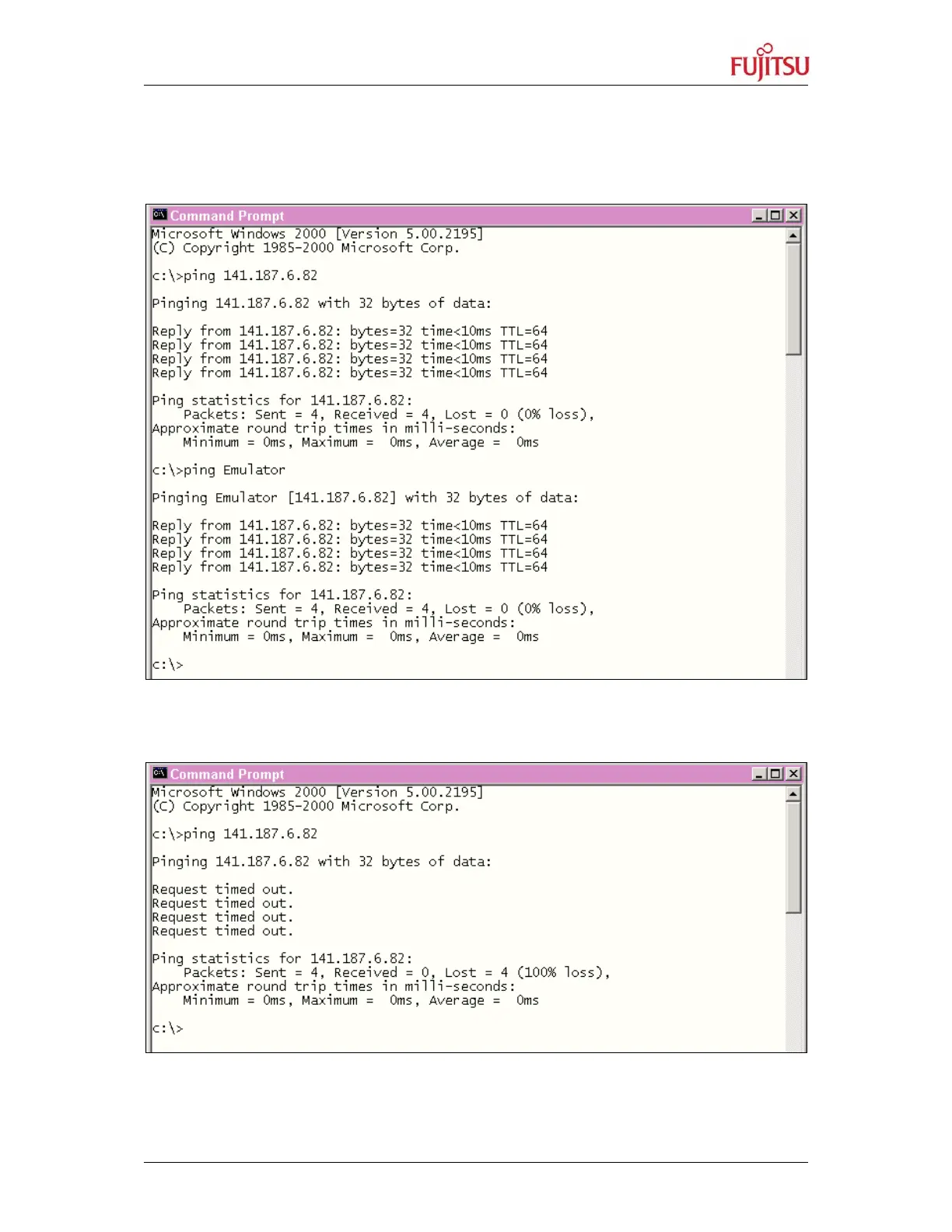
Good answer: Emulator/LAN-adapter replies with time-values:
Figure 27: Testing the IP-Connection to the Emulator I
„Failed“-answer: Emulator/LAN-adapter replies with timeout message:
Figure 28: Testing the IP-Connection to the Emulator II


 To Next Page