Getting Started
Chapter 7 Setup / Change Connection PC – Emulation System
© Fujitsu Microelectronics Europe GmbH - 33 - MCU-AN-391005-E-V17
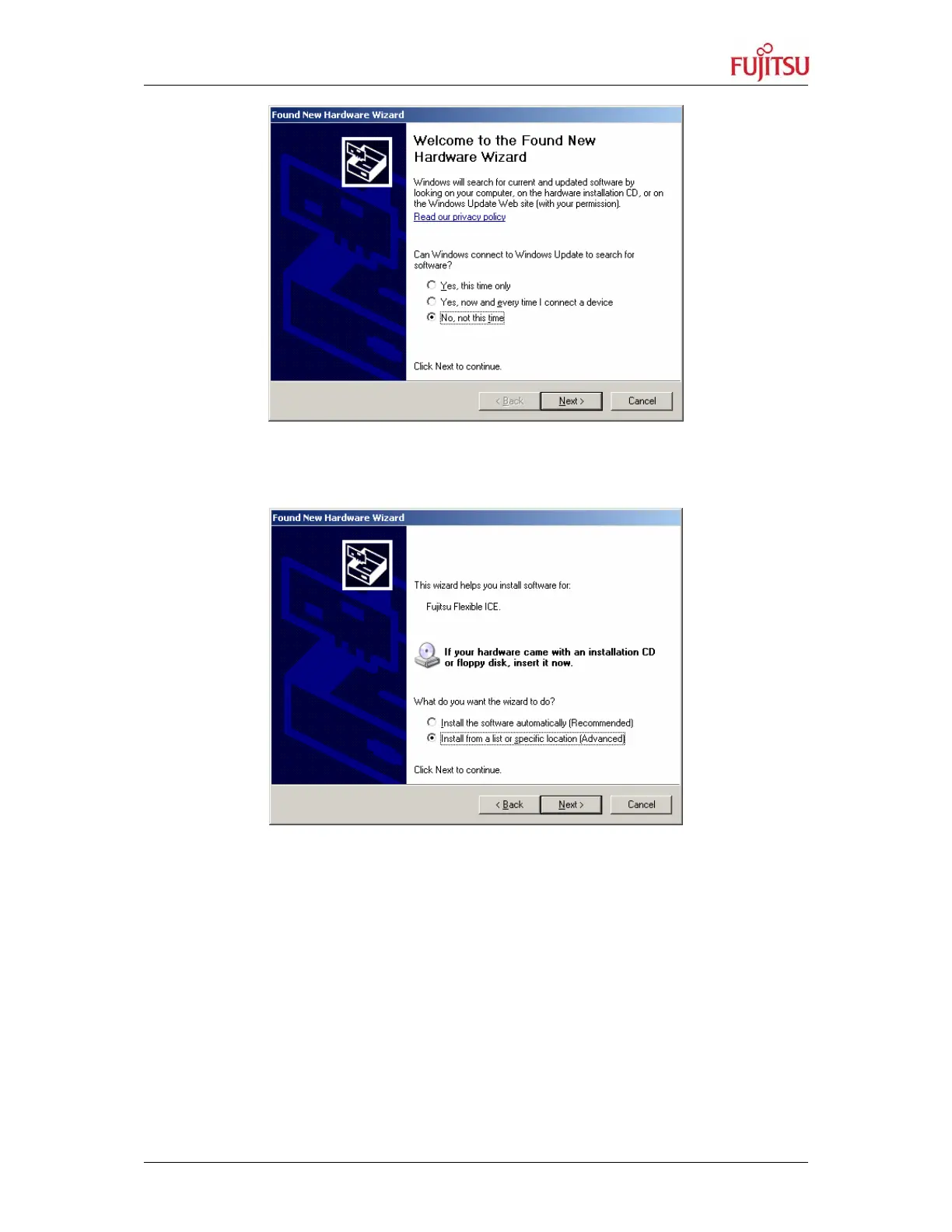
Figure 19: Installing the USB-driver I
3. Select the option ‘Install from a list or specific location (Advanced) and press ‘Next’
Figure 20: Installing the USB-driver II
4. Include the subfolder ‘Drivers’ of the unpacked the softune propack 911s Rev 60006,
e. g. ‘c:\temp\rev600006\Drivers’ in the search. Press ‘Next’ to install the drivers.


 To Next Page