48
1 ~ 2 分後に、画面中央に次のメッセージが表示されます。
4 ドライバを追加するために、【S】キーを押します。
` このメッセージが 表示されず、次のメッセージが表示された場合、手順 2 で
【F6】キーをうまく押せていなかったことが原因です。最初からやり直してくだ
さい。
画面中央に、次のメッセージが表示されます。
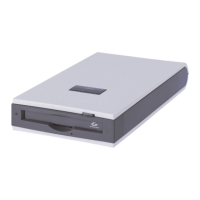
5 ドライバフロッピーディスクをフロッピーディスクドライブに挿入し、
【Enter】キーを押します。
画面中央に、次のメッセージが表示されます。
Setup could not determine the type of one or more mass storage
devices installed in your system, or you have chosen to manually
specify an adapter.
Currently, Setup will load support for the following mass storage
devices(s):
< none >
* To specify additional SCSI adapters, CD-ROM drives, or special disk
controllers for use with Windows,including those for which you have a
device support disk from a mass storage device manufacturer, press S.
* If you do not have any device support disks from a mass storage
device manufacturer, or do not want to specify additional mass
storage devices for use with Windows, press ENTER.
Please insert the disk labeled Manufacturer-supplied hardware support
disk into Drive A:
* Press ENTER when ready.
You have chosen to configure a SCSI Adapter for use with Windows,
using a device support disk provided by an adapter manufacturer.
Select the SCSI Adapter you want from the following list, or press
ESC to return to the previous screen.
┌───────────────────────────────┐
│HP Ultrium driver for Windows 2000 │
│HP Ultrium driver for Windows XP/Server 2003 (32-bit) │
│HP Ultrium driver for Windows XP/Server 2003 (64-bit) │
│HP Ultrium driver for Windows XP/Server 2003 (Itanium) │
└───────────────────────────────┘


 To Next Page
 Loading...