6 LEDs 79
E
6
LEDs
This chapter explains the status of each LED.
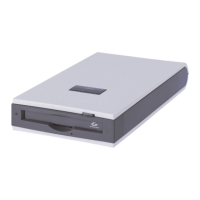
On the front of this product there are 4 LEDs that indicate the status of this product.
LEDs during self diagnostic testing
When the power of this device is turned on or the device is reset a self diagnostic test is performed
(lasts approx 15 sec.)
If the self diagnostic test is not performed correctly the Ready LED blinks several times. Other LEDs
are turned off.
If the self diagnostic test detects an error the Drive Error LED and Tape Error LED blink. In this case
it is right to think that this product is broken. Contact an office listed in "Appendix B Contact
Information" (
Jpg.88).
LED troubleshooting
If there are any problems, perform the troubleshooting solutions in the table below to solve the prob-
lem.
If the problem is not solved after performing the following troubleshooting, contact an office listed in
"Appendix B Contact Information" (
Jpg.88).
In the table, = OFF = ON = Blinking =N/A
LED Status Problem Solution
Power is not turn on this product or it is
broken.
Check that power is turn on the product.
Check the power supply cable connection.
An error was detected after the self
diagnostic test.
Restart the server. If this problem is
repeated it is right to think that this product
is broken.
Ready
Drive Error
Tape Error
Clean
Ready
Drive Error
Tape Error
Clean
Ready
Drive Error
Tape Error
Clean



 To Next Page
 Loading...