62
■ Scanning documents of different widths or sizes at a time
By marking the "Scan mixed paper size" checkbox, you can scan documents of different widths or
sizes in one batch.
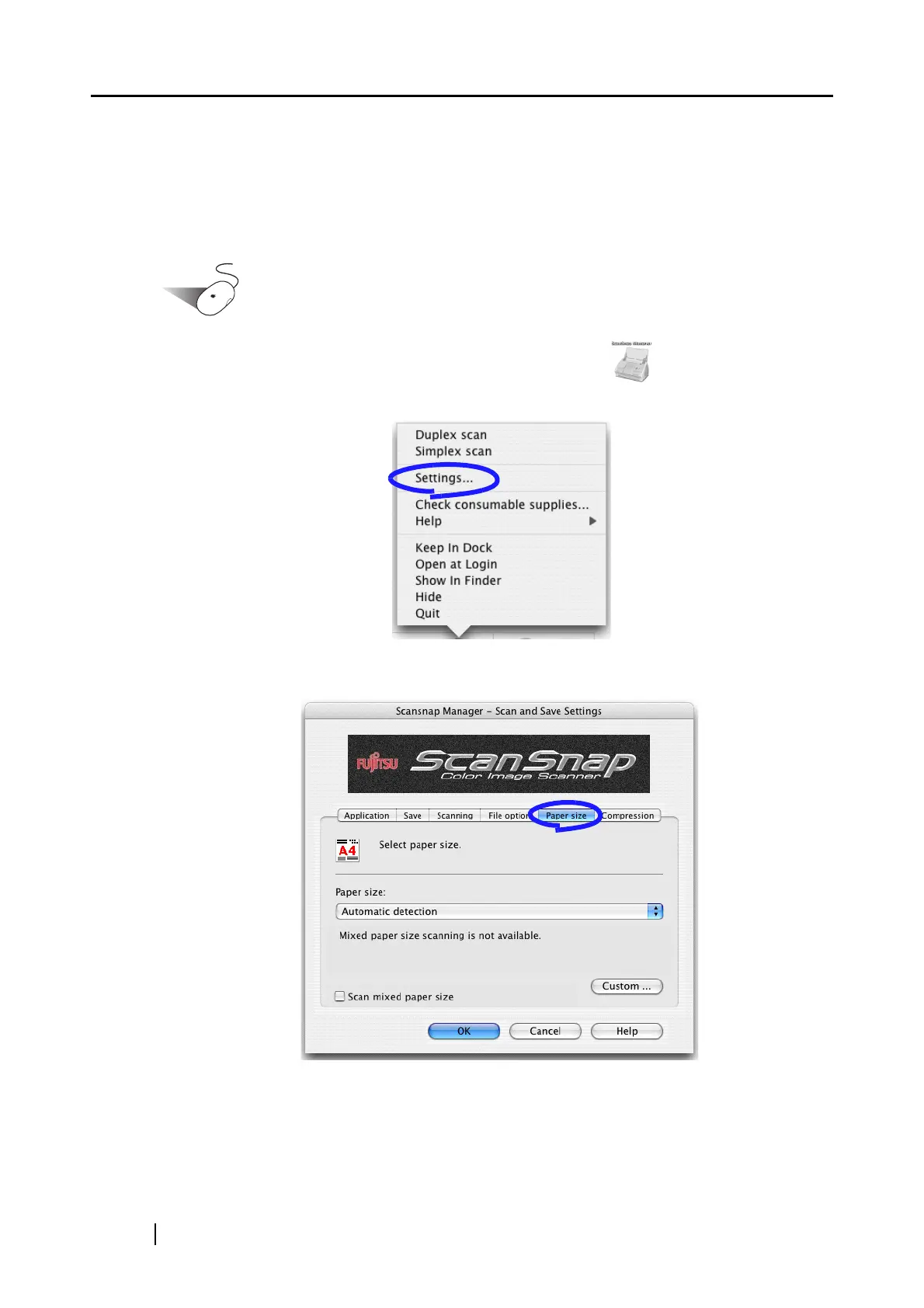
To scan documents of various sizes, do the following.
Operation
1. Click and hold the mouse button on the ScanSnap icon , and select "Settings"
from the displayed menu.
2. Select the [Paper size] tab.
3. Mark the "Scan mixed paper size" checkbox.



 To Next Page
 Loading...












