56
■ Skipping blank pages
ScanSnap is able to remove blank pages automatically. When documents in which double-sided
and single-sided pages are mixed are scanned in "Duplex scan" mode, the backside of single-sided
(blank) pages are automatically removed, and the image data of only necessary pages is generated.
To change the setting, follow the procedure below.
Operation
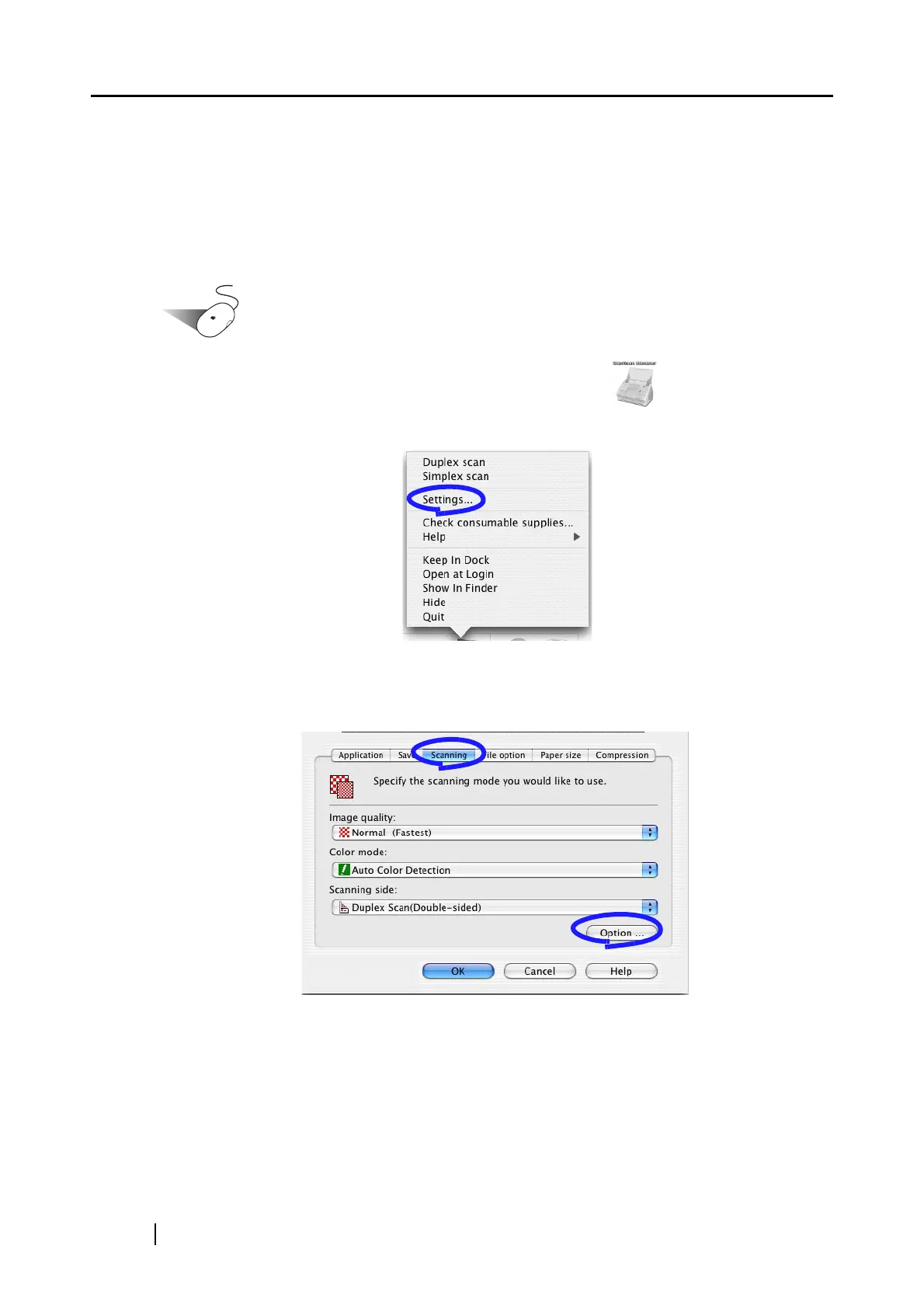
1. Click and hold the mouse button on the ScanSnap icon , and select "Settings"
from the displayed menu.
⇒ The "Scan and Save Settings" window appears.
2. On the [Scanning] tab, click the [Option] button.
⇒ The "Read Mode Option" window appears.



 To Next Page
 Loading...












