58
■ Correcting skewed documents
ScanSnap is able to automatically correct document skew. To change the setting, follow the
procedure below.
Operation
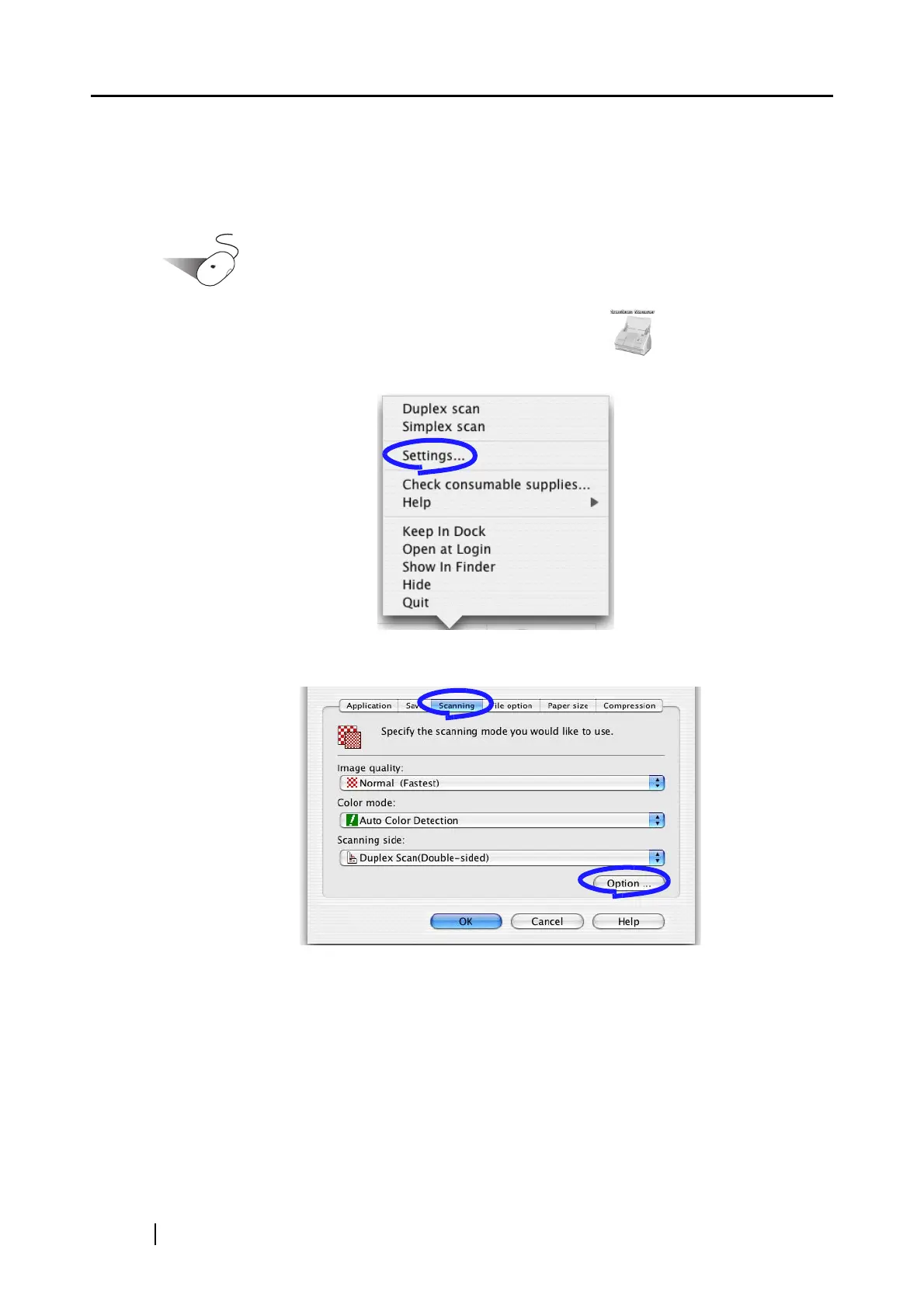
1. Click and hold the mouse button on the ScanSnap icon , and select "Settings"
from the displayed menu.
2. On the [Scanning] tab, click the [Option] button.
⇒ The "Read Mode Option" window appears.



 To Next Page
 Loading...












