80
5.1 Clearing Document Jams
Cautions in clearing a paper jam are as follows:
CAUTION
• Do not pull out the jammed paper by force; be sure to open the ADF before removing the
jammed document.
• Do not touch sharp objects inside the scanner when removing jammed paper or you might
be injured.
• When removing the jammed paper, be careful not to get your necktie or necklace
entangled in the scanner.
• The surface of the ADF glass can become very hot during operation. Take care not to get
burned.
Operation
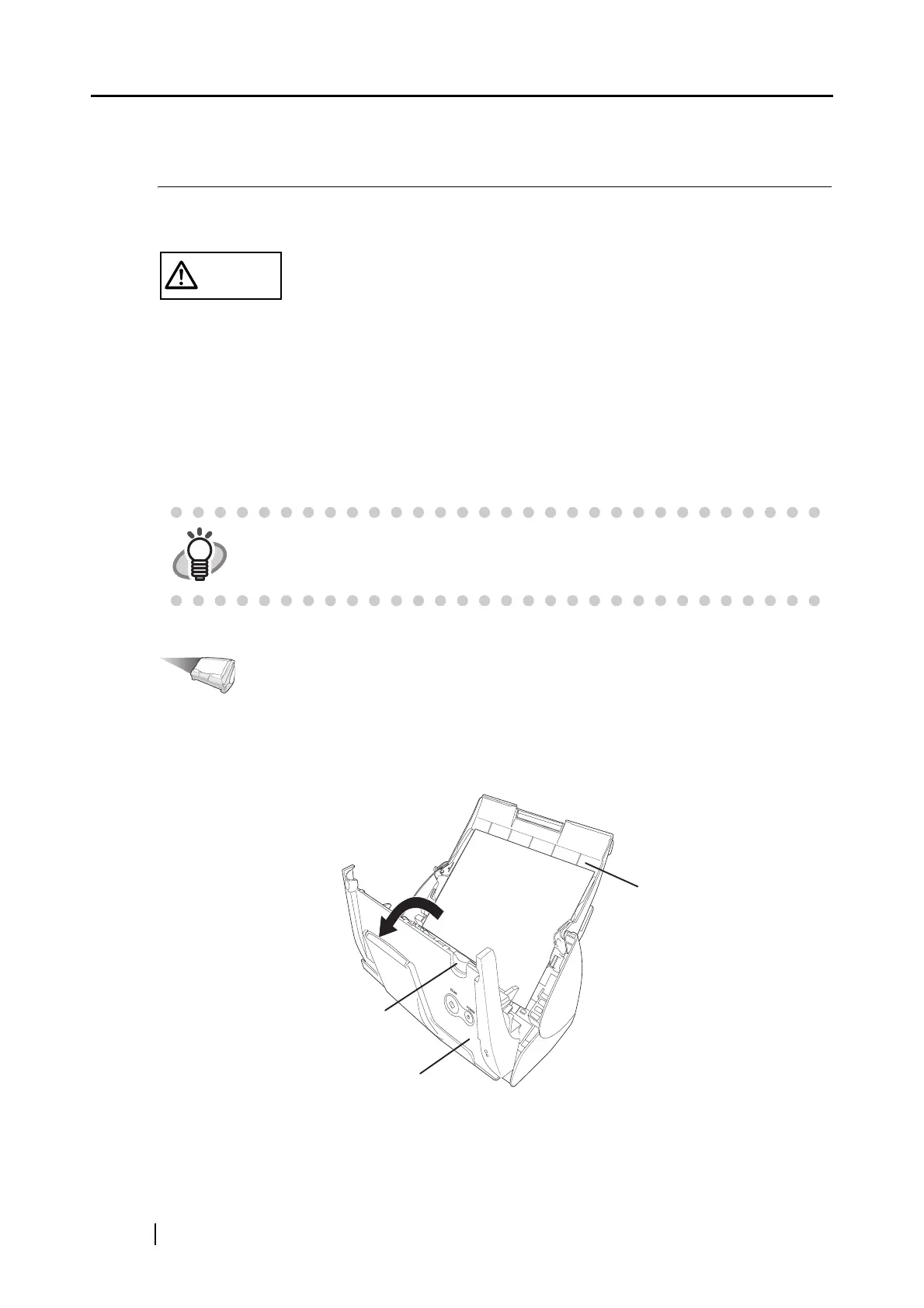
1. Remove the document on the paper chute.
2. Pull the cover open lever to open the ADF.
HINT
Clean the inside of the scanner, following the guidelines in section "6.3 Clean-
ing the Inside of the Scanner" (page 90).
Paper chute
Cover open lever
ADF



 To Next Page
 Loading...












