1. From the default Pracce tab, tap the Start Pracce Session buon to open
the Session Setup screen.
2. If no units are paired in the Launch Monitor Device eld, tap the add (+) buon.
3. Follow the prompts to pair the unit.
4. Select Outdoor environment. (Indoor coming soon!)
5. Set the session locaon, if preferred.
6. Tap the Start Session buon to begin the session.
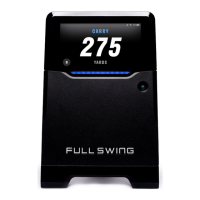
7. Conrm the placement of the KIT is lined up with the diagram, then select
the Dismiss buon.
Note: KIT Placement for details on placement.
8. Select or add a club, then do one of the following:
• Tap the Use a Selected Club buon
Note: Use an exisng club or tap the (+) buon to add a new club to My Bag.
See the User Account and Preferences secon for addional informaon on
customizing My Bag.
• Tap the Use Club & Set Target buon and follow the instrucons to select
and set the target line
Note: For best results, set the target line to ensure the KIT is correctly lined-up.
PRACTICE SESSION WITH A NEW KIT
1. From the default Pracce tab, tap the Start Pracce Session buon
to open the Session Setup screen.
2. Conrm that the unit appears in the Launch Monitor Device eld, then tap Connect.
3. When the Full Swing Wants to Join Wi-Fi Network pop up box appears,
tap the Join buon.
Note: When the app is fully connected there will be a green check mark
and the KIT baery level.
4. Select Outdoor environment. (Indoor coming soon!)
5. Set the session locaon, if desired.
6. Tap the Start Session buon to begin the session.
7. Conrm the placement of the KIT is lined up with the diagram, then tap the Dismiss buon.
Note: See KIT Placement for details on placement.
8. Select or add a club, then select one of the following:
• Tap the Use a Selected Club buon
Note: Use an exisng club or tap the (+) buon to add a new club to My Bag.
See the User Account and Preferences secon for addional informaon on
customizing My Bag.
• Tap the Use Club & Set Target buon and follow the instrucons to select and
set the target line
Note: For best results, set the target line to ensure the KIT is correctly aligned.
PRACTICE SESSION WITH AN EXISTING KIT


 To Next Page