SESSION SETTINGS
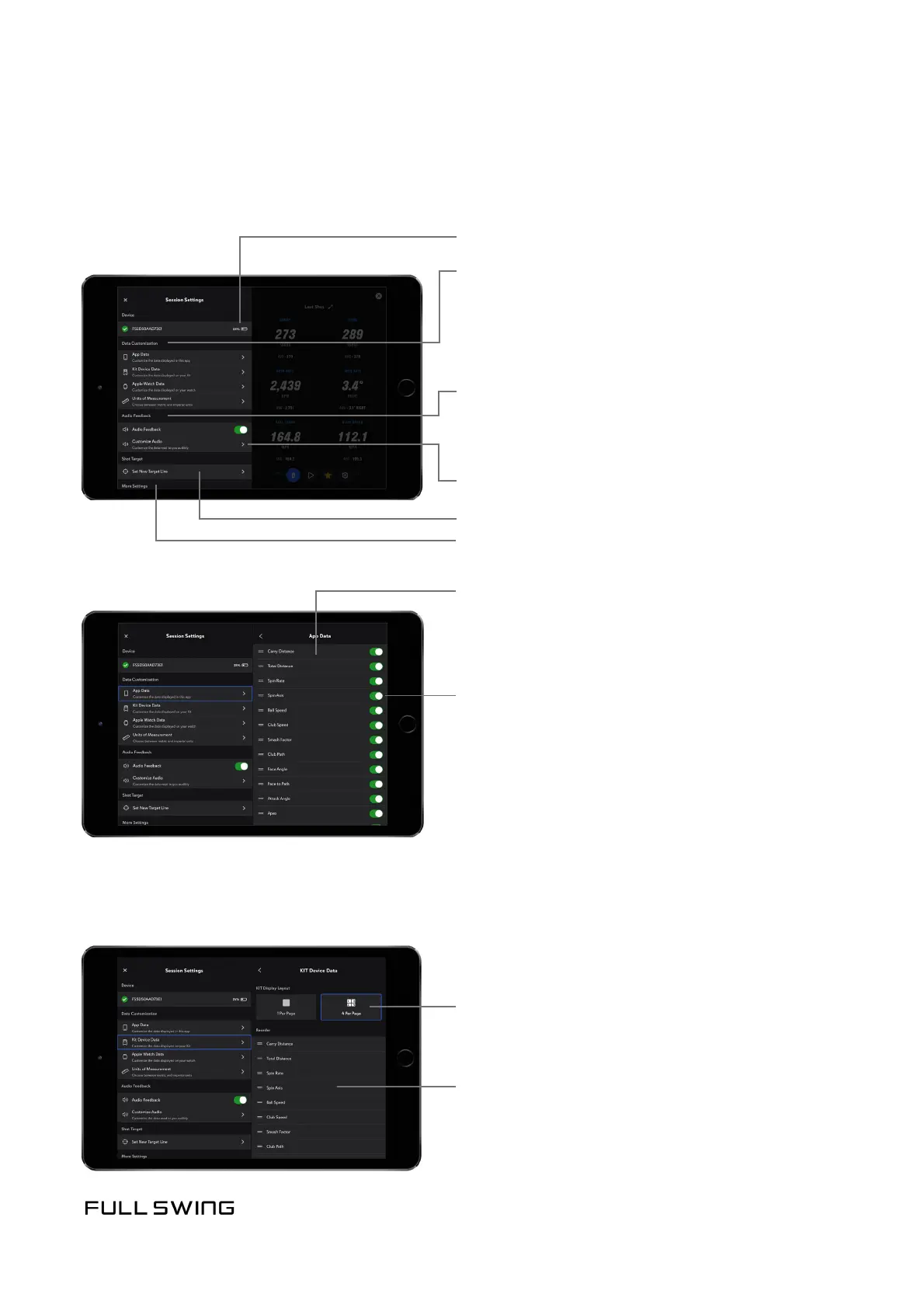
Use the Session Sengs tab to customize individual sengs during a session.
Connected KIT with baery indicator
Data Customizaon opons:
Audio Feedback opons
Temporarily turn all audio play back on or
o using the Audio Feedback switch on the
Session Sengs screen
Customize Audio
• App Data
• KIT Device Data
• Apple Watch Data
• Units of Measurement
Set New Target Line
Tap, hold, and drag to reorder
data points displayed
Review KIT Device Placement Instrucons
Tap to turn data points on or o
Select number of data points to be displayed on the KIT:
Tap, hold, and drag to reorder data points
displayed on the KIT
• 1 data point per page
• 4 data points per page


 To Next Page