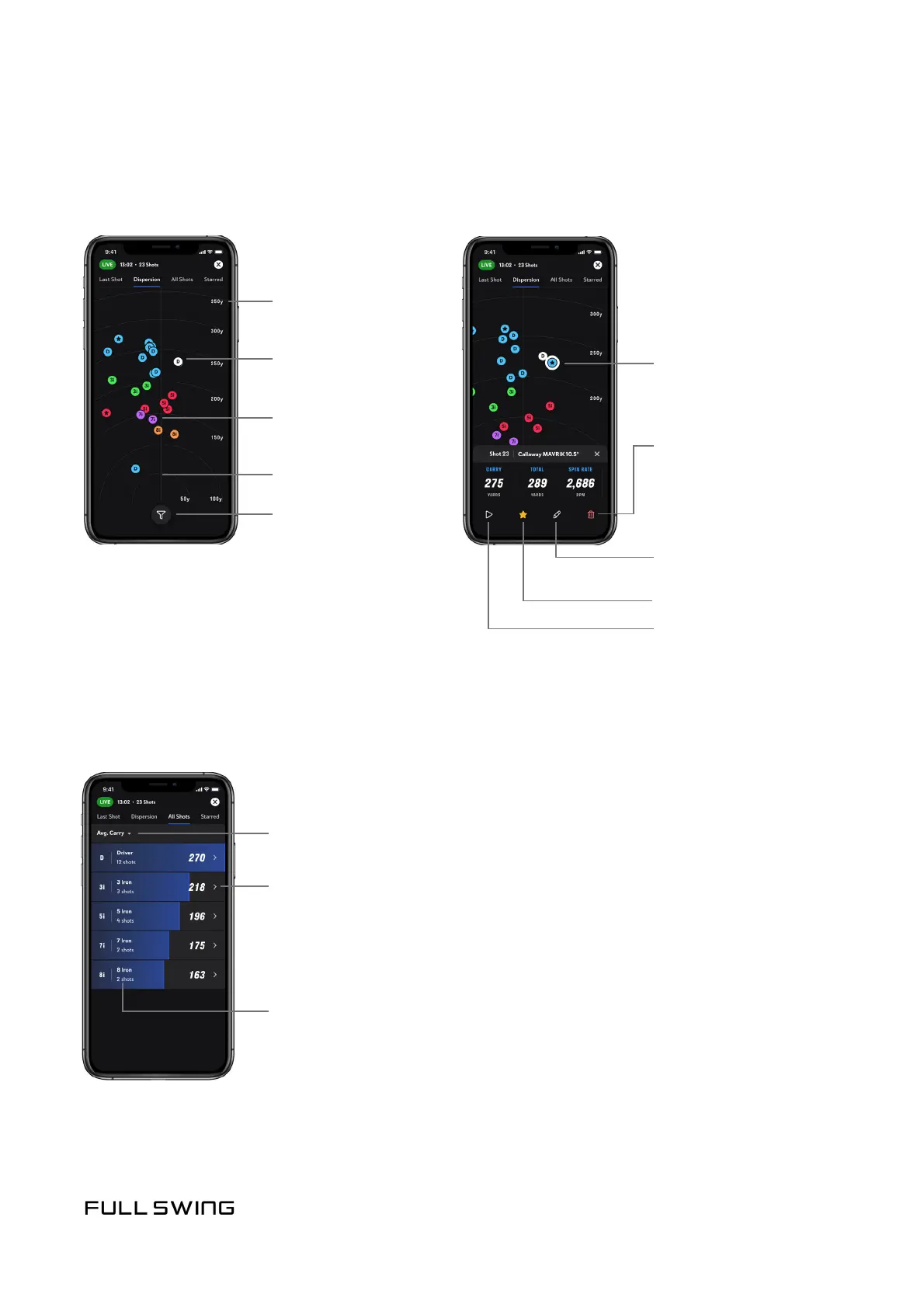
DISPERSION TAB
Use the Dispersion tab to view shot distribuon paerns for the session.
ALL SHOTS TAB
Use the All Shots tab to view all of the clubs used during the session and individual
shots per club.
Note: The screen also provides the user the ability to play back video, and to star, edit,
and delete individual shots.
White ball represents
the last shot
Other dispersion
points are idened by
club ID and club color
Distance markers
Filter clubs
Pinch the screen to
zoom in-and-out
Play back video
Change the selected data point
Tap a shot to view stascs
on the shot
Star shot to save video
Session averages for selected data point
Edit Club Type
(if incorrect club has
been selected)
Clubs used during session
Delete shot
• Tap a club to view individual shots for that club


 To Next Page