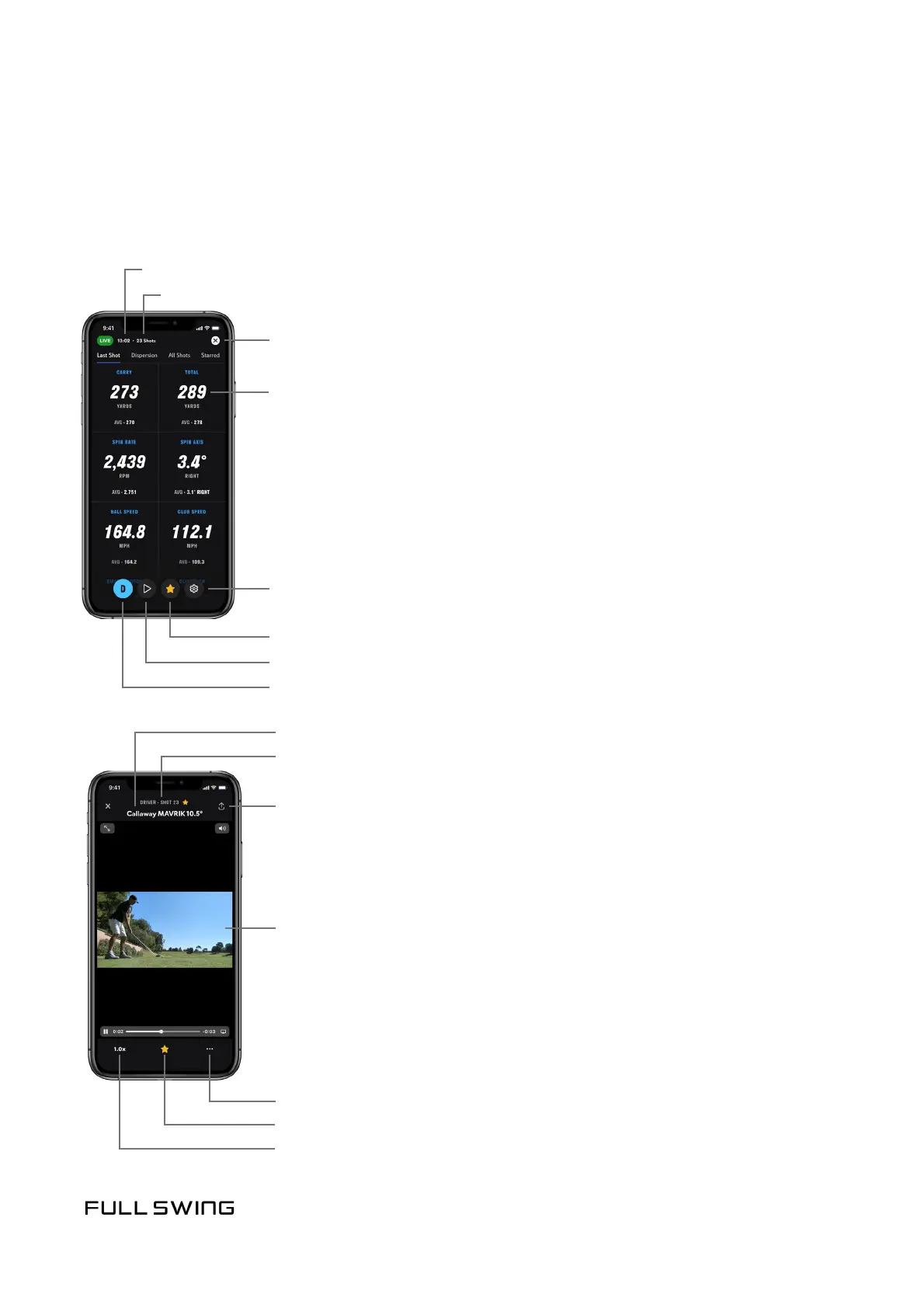
UNDERSTANDING THE LIVE SESSION VIEW ON IPHONE
LAST SHOT TAB
Use the Last Shot tab to view shot data and averages for the session.
Session mer
Session shot counter
Tap to end session
Club Type and Shot Number
Tap to change playback speed
Note: Adjust the playback speed before expanding video to full screen.
Tap to Star or Unstar
Tap the ellipsis (…) to Star or Unstar, Edit Club, and Delete Shot
Tap the video to display addional video opons
Club Nickname
Tap to share video
• To social media
• Expand video to full screen.
Note: For a full screen, rotate the phone.
• Airplay to another display device
• As a text message (SMS) or as an email
• Pause video
• Save as a le
• Scrub video
Tap each data point to view addional details
Tap to modify session sengs
Star a shot to save video
Tap to play back video
Tap to change clubs


 To Next Page