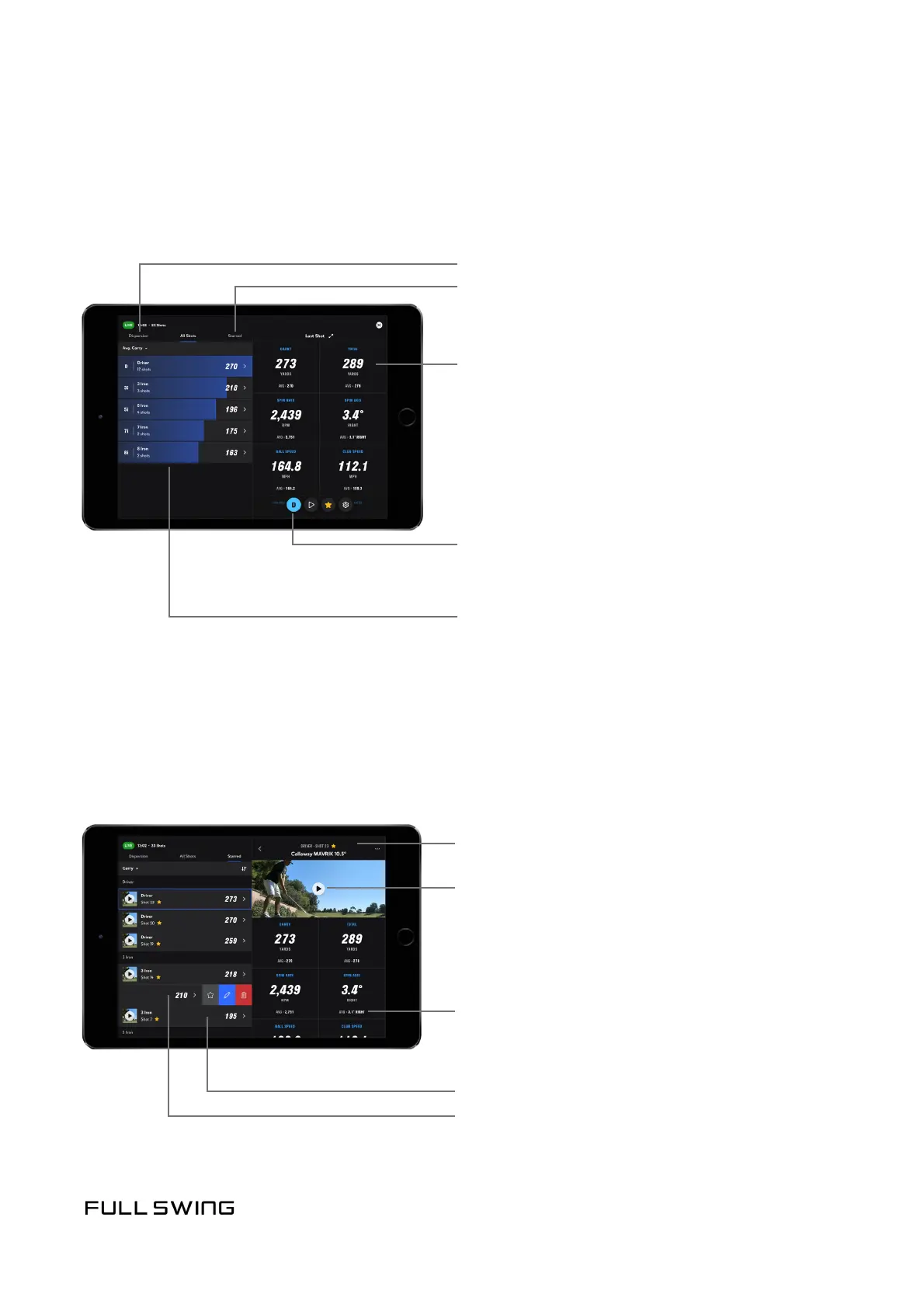
ALL SHOTS TAB
Use the All Shots tab to view all of the clubs used during the session
and individual shots per club.
Tap to view Dispersion
Tap to view Starred
Change selected data point
Session averages for selected data point
Clubs used during session
• Tap a club to view individual
shots for that club
STARRED TAB
Starring a shot permanently saves session videos to the user account.
Use the Starred tab to view all starred shots within a session.
Change selected data point or Club Category
Session averages for a selected data point
Tap the thumbnail to play back video
Swipe to un-star, edit club, or delete shot
Tap to view all data points for this shot


 To Next Page