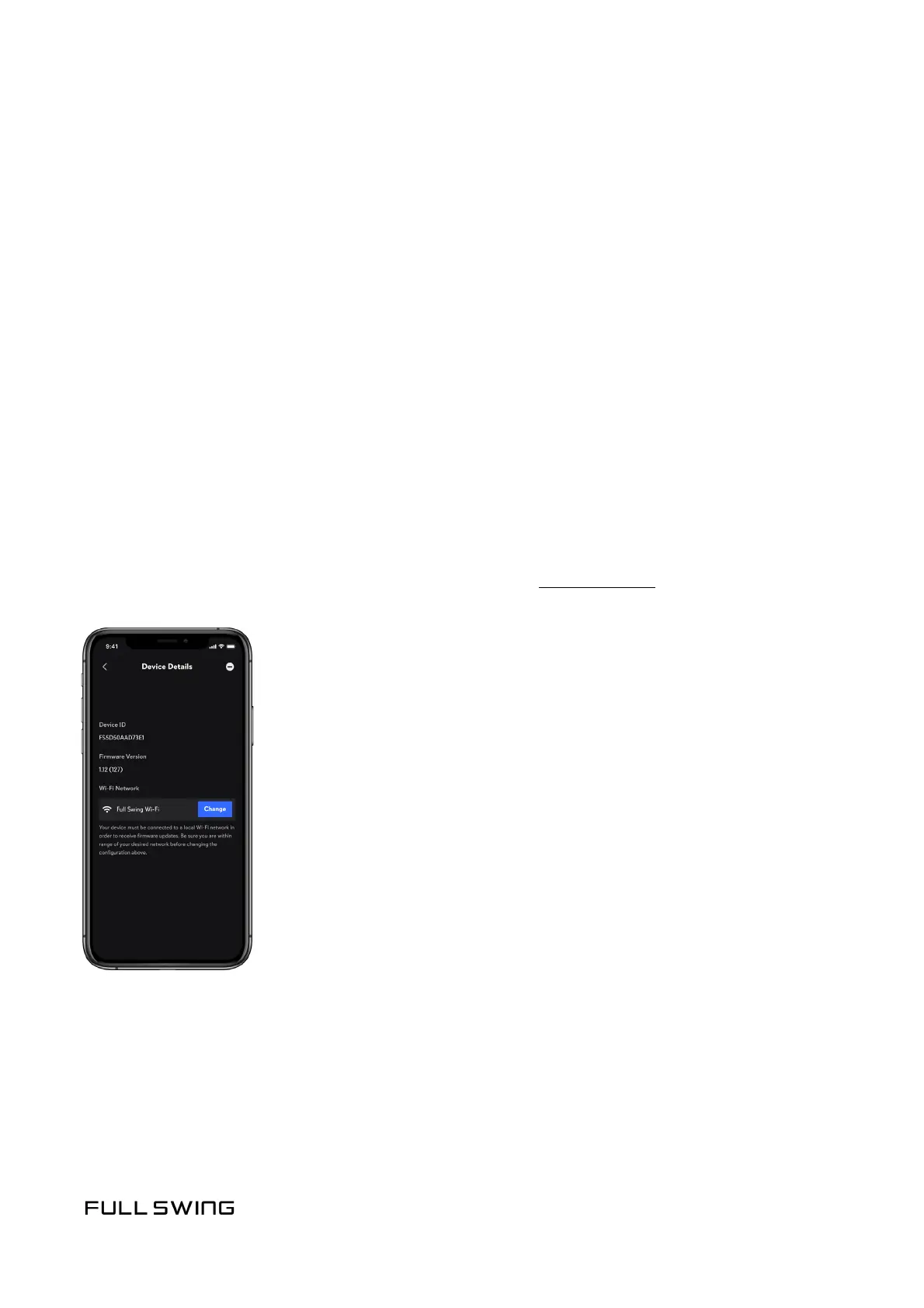
Connecon to Wi-Fi is required for rmware updates. When connected, any new rmware
updates will automacally download and install. Wi-Fi can be congured using one of
two methods:
When pairing with the KIT for the rst me, the user is prompted to congure Wi-Fi.
1. On the Congure Device screen, select a familiar Wi-Fi name from the opons provided.
2. Follow the prompts to congure Wi-Fi.
The Wi-Fi network can be congured or changed at any me using the following method.
Note: The unit must be paired, and in charging mode or powered on, to modify Wi-Fi sengs.
If the KIT does not appear on the My Devices screen, see Pairing the KIT.
1. From the Pracce tab, tap the Prole icon in the upper, le corner.
2. Tap My Devices.
3. Tap the Device Name to be modied.
4. In the Wi-Fi Network secon, tap the Congure or Change buon.
5. Follow the prompts to modify Wi-Fi sengs.
CONFIGURE WI-FI
DURING FIRST-TIME PAIRING
CONFIGURE OR CHANGE WI-FI NETWORK MANUALLY


 To Next Page