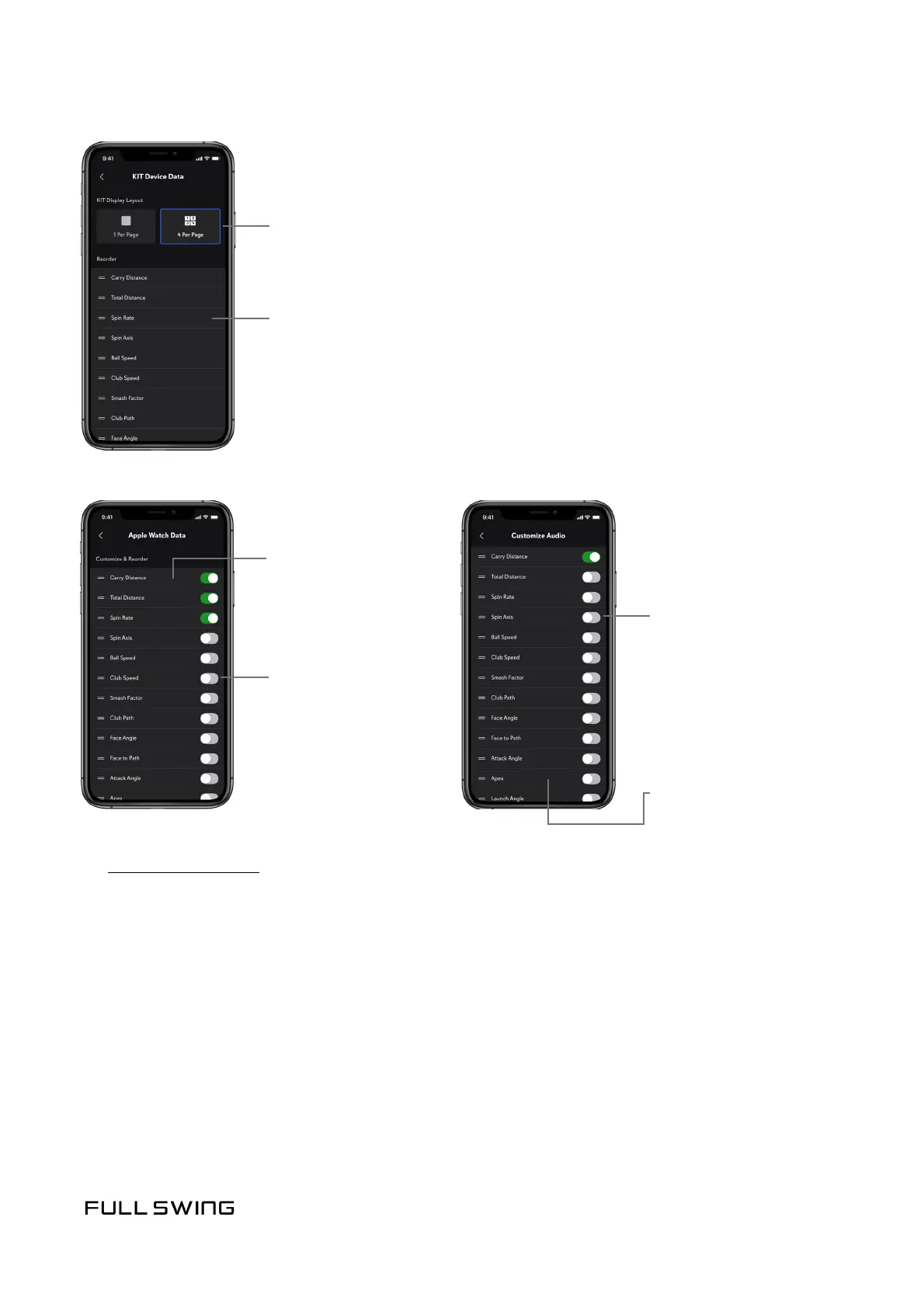
Tap to turn data
points on or o on
the Apple Watch
Tap to turn data points
on or o
Tap, hold, and drag
to reorder data points
displayed on the
Apple Watch
Tap, hold, and drag to
reorder data points
Note: For more informaon,
see Using the Apple Watch.
Note: Audio Feedback
plays shot data through
the speaker of the mobile
device or most any
headphones connected.
Note: Temporarily turn all audio playback on or o
using the Audio Feedback switch on the
Session Sengs screen.
• 4 data points per page
Tap, hold, and drag to reorder data
points displayed on the KIT
• 1 data point per page
Select number of data points to be displayed on the KIT:


 To Next Page