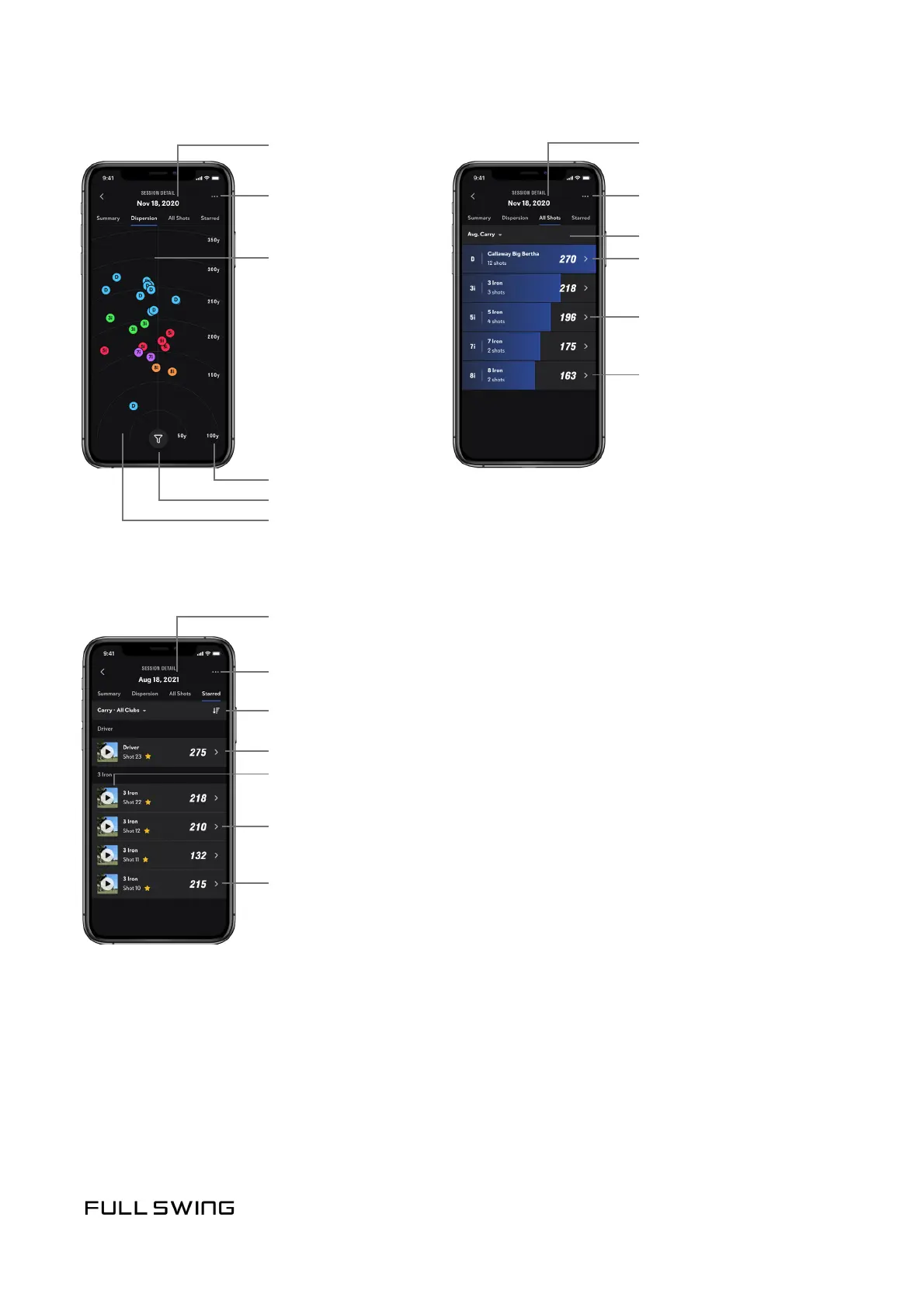
Session date
Distance markers
Tap a shot to view
stascs on the shot,
or to take one the
following acons:
Session Acons
Filter clubs
Pinch the screen
to zoom in-and-out
• Playback video
• Star shot
to save video
• Edit Club Type
(if incorrect club has
been selected)
• Delete shot
• Delete Session
Session date
Session date
Change selected data point or Club Category
Tap the thumbnail to playback video
Session Acons
Session Acons
Session averages for a selected data point
Swipe to un-star, edit club, or delete shot
Tap to view all data points for the shot
• Delete Session
• Delete Session
Change selected data point
Session averages for
selected data point
Clubs used during session
Tap a club to view
individual shots for the club
Note: The screen also
provides the user the ability
to playback video, and to
star, edit, and delete
individual shots.


 To Next Page