1. INITIAL SETTING AND ADJUSTMENT
1-42
• Confirmation on the [About] screen
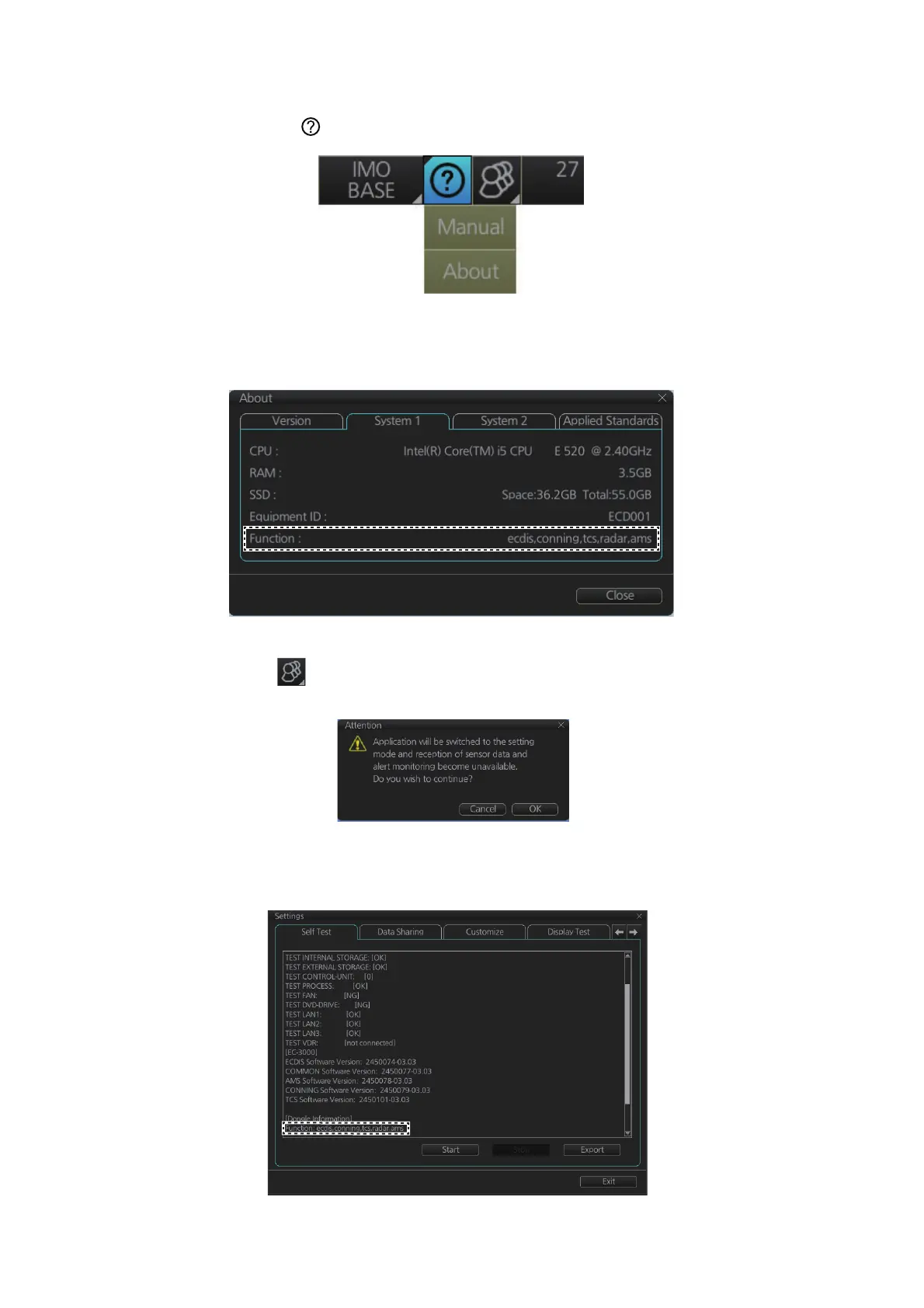
1. Click the [ ] button on the status bar.
2. Click [About] to show the [About] screen.
3. Click the [System1] tab.
4. Confirm if "tcs" appears in the [Function] field.
• Confirmation on the [Self Test] page
1. Click [ ] on the status bar then select [Settings].
The message shown below appears.
2. Click [OK] to show the [Settings] menu.
3. Click the [Self Test] tab to show the [Self Test] page.
4. Confirm if "tcs" appears in the [Function] field.


 To Next Page