1. INITIAL SETTING AND ADJUSTMENT
1-43
1.6.2 How to set the TCS for autopilot
1. Access the [Common Installation Setting] menu and click [Installation Parame-
ters] on the tab bar.
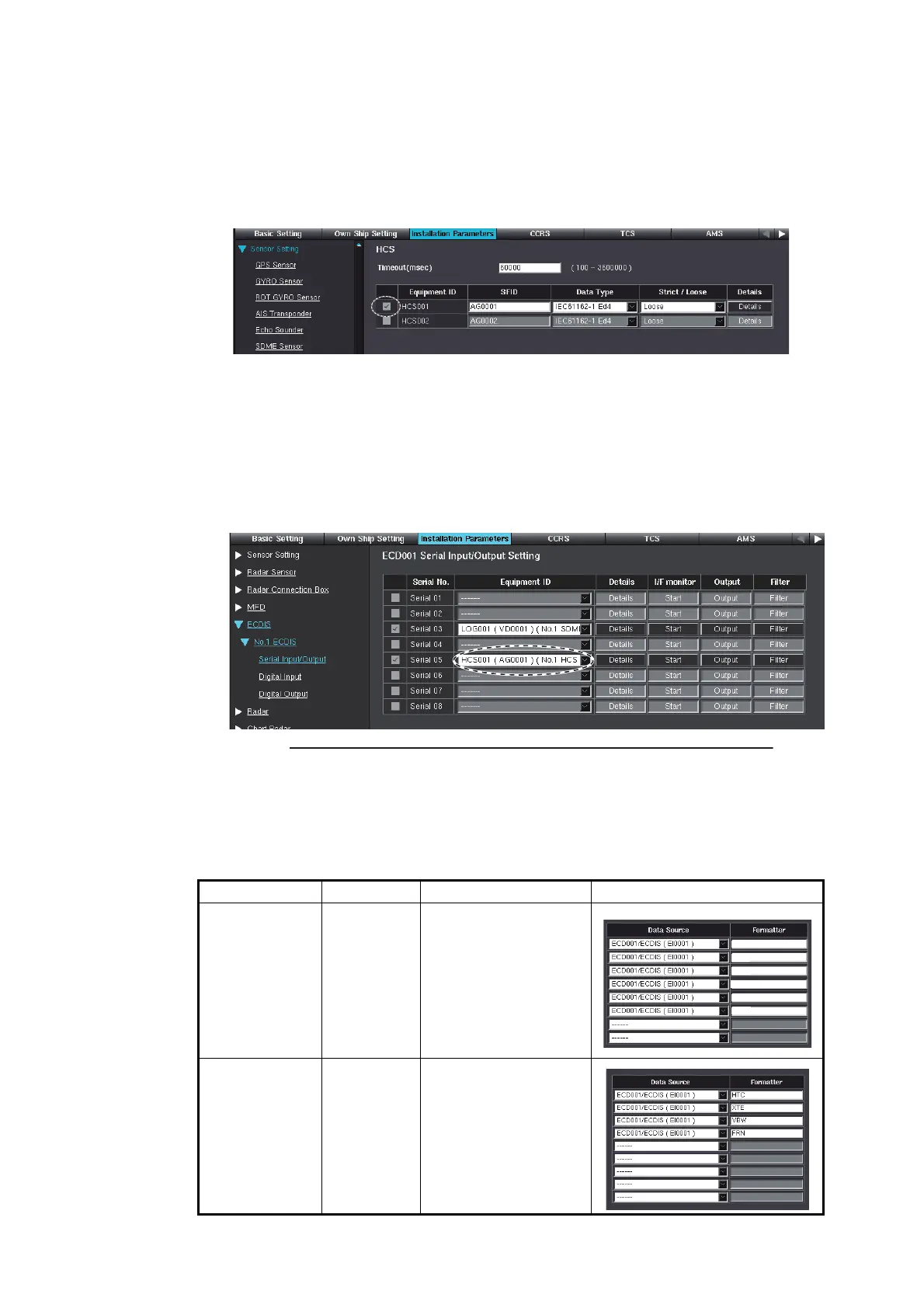
2. Click [HCS] on the menu bar.
3. Check the checkbox of [HCS001].
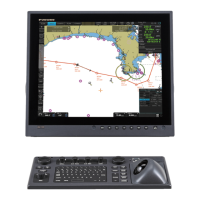
4. Open the [Serial Input/Output] setting window of the ECDIS processor unit con-
nected to the autopilot.
Note: Connect the autopilot to the ECDIS processor unit that has the TCS-com-
pliant dongle.
5. Check the checkbox of the [Serial No.] (serial port no.) connected to the autopilot.
6. Select [HCS001] from the [Equipment ID] pull-down list of [Serial No.] checked at
step 5.
7. Click [Output] to show the [Serial Output Setting] window.
8. Set [Data Source] to the Equipment ID of the ECDIS processor unit connected to
the autopilot.
9. Enter the sentences to [Formatter] according to the manufacturer and model of
the autopilot.
Manufacturer Model Sentence Display example
Raytheon
Anschutz
NP-5400 • APB
• HTD
• PANZCRQ
• PANZEST
• PANZPSR
• PANZHTD
Yokogawa
Electric
Corporation
PT-500A • HTC
• XTE
• VBW
• FRN
Example
䠖
Connect the autopilot to the serial port 5 of the No.1 ECDIS
APB
HTD
PANZCRQ
PANZEST
PANZPSR
PANZHTD


 To Next Page