1. INITIAL SETTING AND ADJUSTMENT
1-69
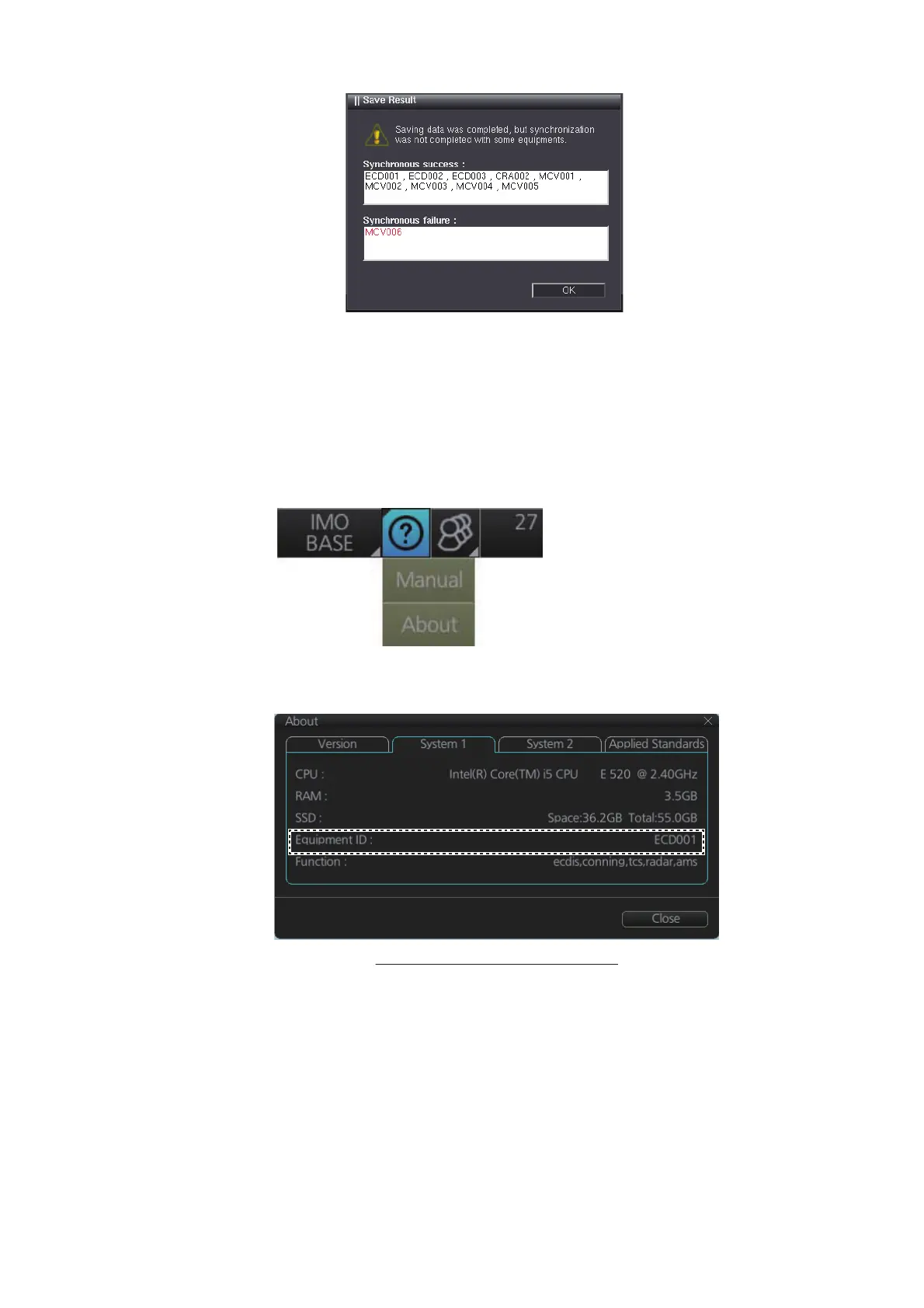
Note 2: If you did the consistency check and save after entering settings on [Own
Ship Setting], reboot the unit.
5. After saving the configuration, confirm that the Equipment ID of all units are cor-
rect.
• Processor unit EC-3000
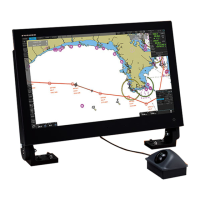
Check the Equipment ID of processor unit as shown below.
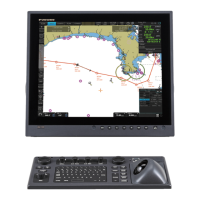
1) Click the [?] button on the status bar.
2) Click [About].
3) Check [Equipment ID] on the [System1] tab.
• Radar processor unit and Sensor Adapter
If the Equipment ID of the radar processor unit or Sensor Adapter is not correct,
the alert shown below appears.
Radar processor unit: "Radar Processor COM Error"
Sensor Adapter: "Sensor Adapter * COM Timeout" (* = 1 to 16)
If the Equipment ID is not correct, set the Equipment ID on the [Basic Setting]
menu (see section 1.2). At this time, turn off all units except the unit to be set, or
disconnect all LAN cables except the cable for PC.
Example: [System 1] tab for ECDIS


 To Next Page