5. Operation
5.1. Front panel
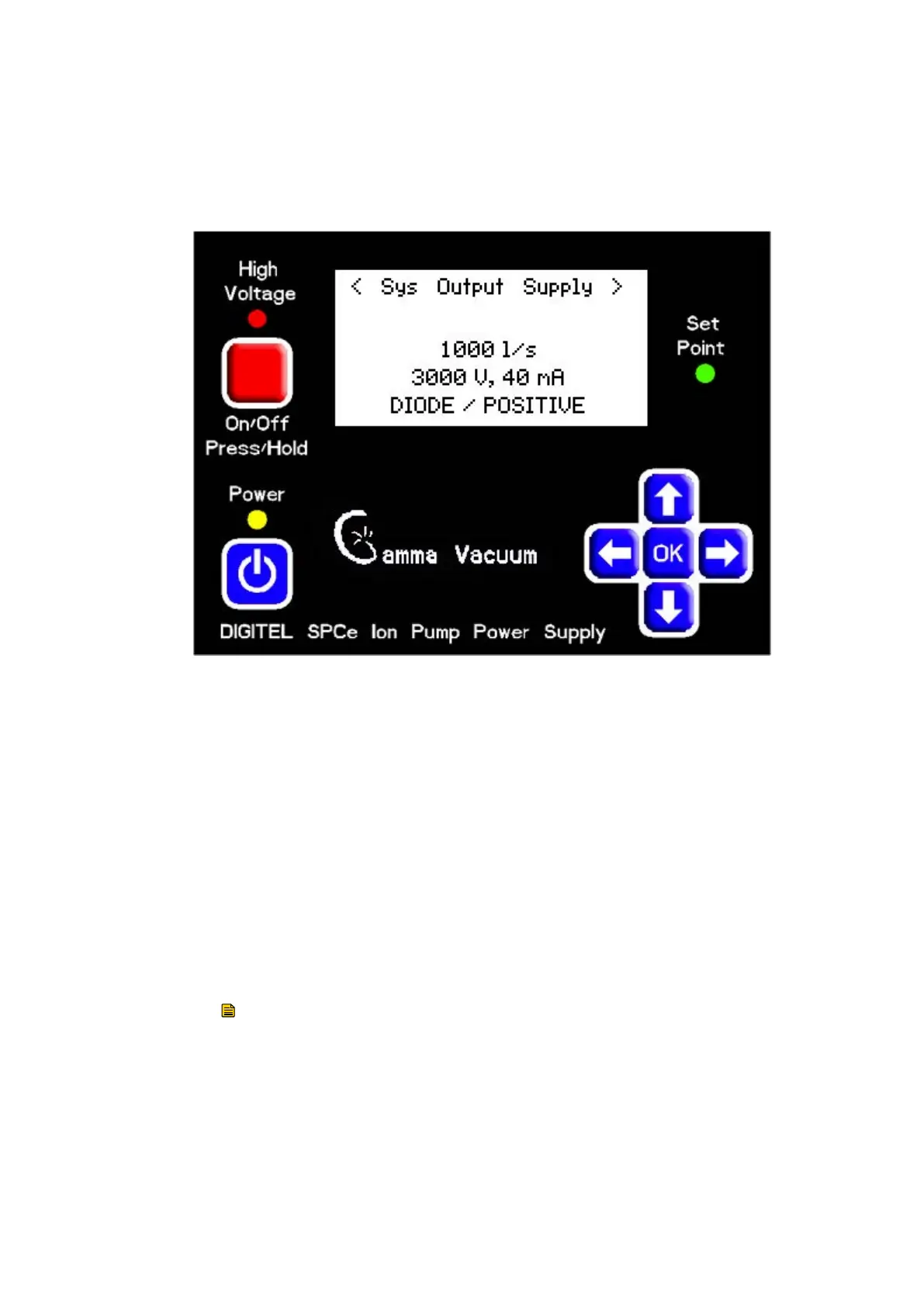
Figure 1. Front panel
LED indicators and LCD display
LEDs indicate the status of the main power, high voltage, and the set point.
The LCD displays operation parameters, messages, and menu options.
During ion pump operation, the screen displays voltage, current, and
pressure. One of these three values is displayed larger than the other two;
this can be changed by pressing the left and right arrow keys.
Soft keys
▪ Main Power: Turns on and o the controller.
▪ High Voltage: Enables high voltage when pressed and held for 1-2
seconds.
▪ OK and arrow keys: Open and navigate the conguration menus, and
commit changes.
Note:
Some keys may be disabled by a serial command when the controller is
connected to a computer or terminal.
5.2. High voltage operation (quick start)
Prior to starting the ion pump, conrm the following:
▪ The controller and connected ion pumps are grounded with a redundant
grounding wire.
04/2021 - ©Gamma
Page 14900026_F
900026_F - Operation



 To Next Page