Pump name
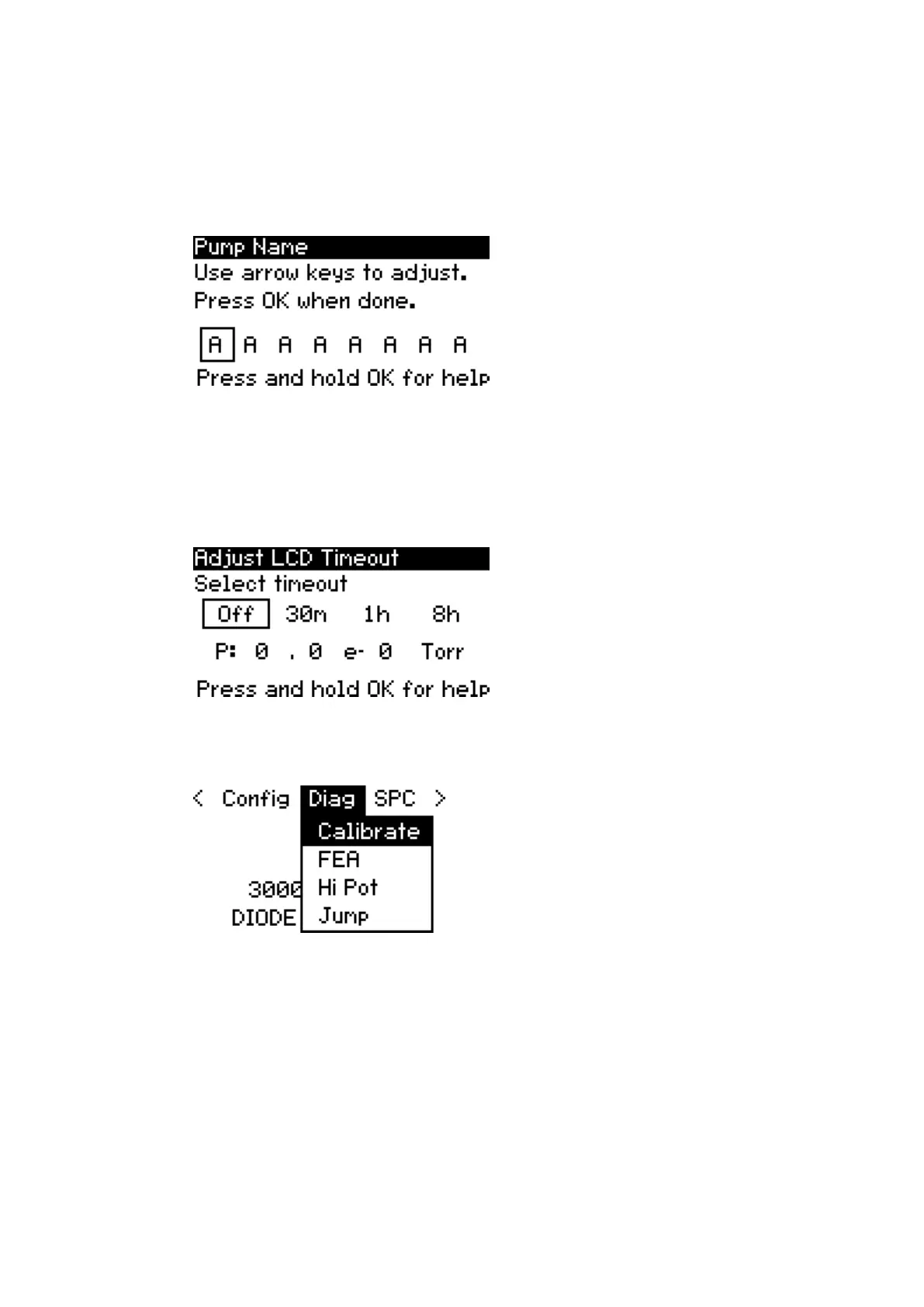
This parameter allows the pump name to be changed. Use the up and down
arrows to cycle through letters, numbers, and symbols. Use the left and right
arrow keys to move the selector.
Figure 37. Pump name
LCD timeout
The SPCe’s LCD back light can be dimmed to extend the life of the display. By
enabling this parameter, the back light is dimmed after a specied amount
of time has passed since the last key press. This feature is o by default.
Figure 38. Adjust LCD timeout
6.9. Diagnostics menu (Diag)
Figure 39. Diagnostic menu
Zero oset calibrate supply
Prior to operating an ion pump, the controller should be calibrated to
account for electrical noise in the system. This provides a more accurate
current measurement given all site-specic parameters that may be
dierent than those observed during production. When initiated, the
controller goes through the calibration steps on screen for reference. Click
OK when calibration process is completed.
04/2021 - ©Gamma
Page 28900026_F
900026_F - Display menu



 To Next Page