Calibration
35
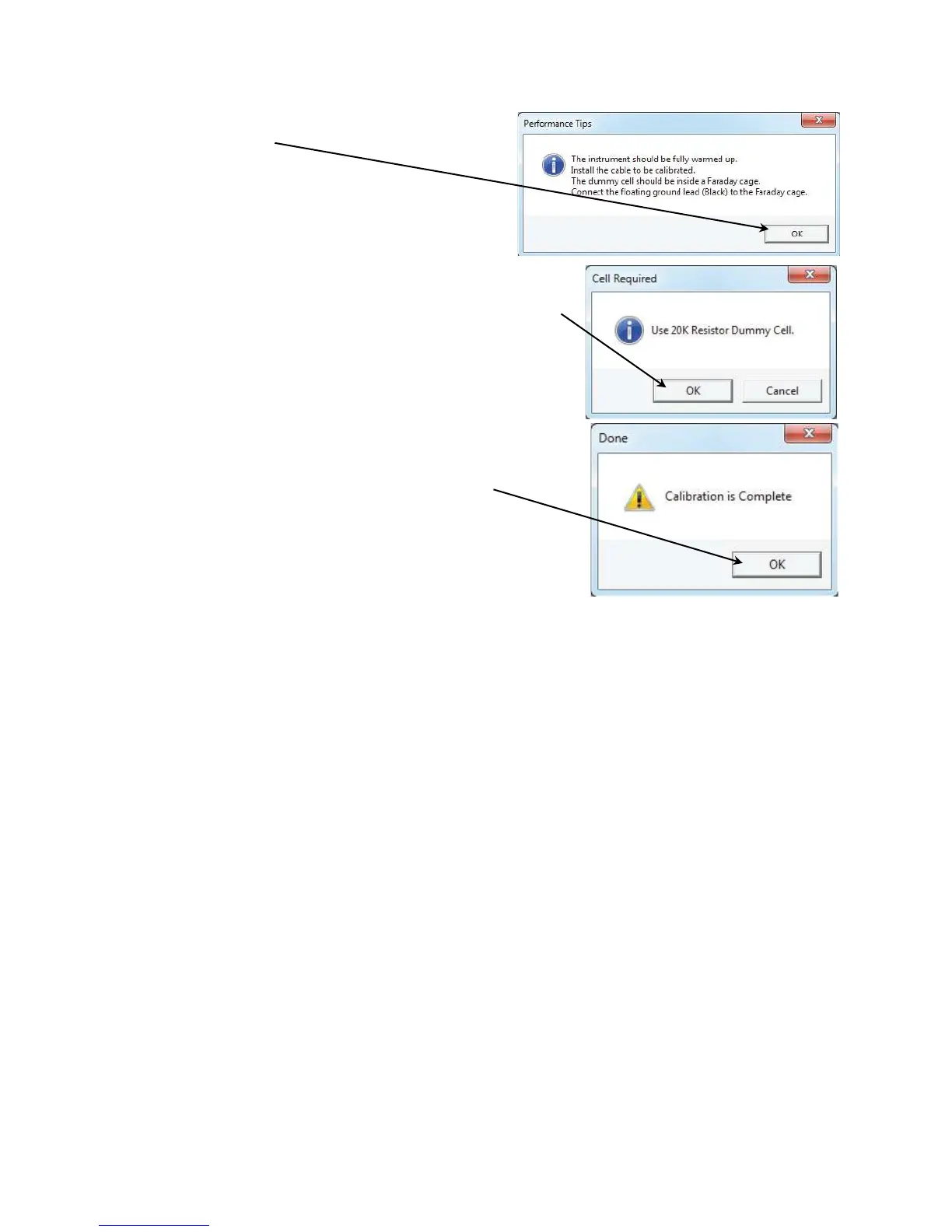
7) Make sure that all of the tips are true, then click
the OK button.
The Cell Required window appears.
8) Make sure that the correct Calibration Cell is attached, then
click the OK button.
(The screenshot shown here is a general representation, not
the actual resistor’s value.)
The calibration runs.
The Done window appears.
9) Click the OK button to acknowledge completion.


 To Next Page