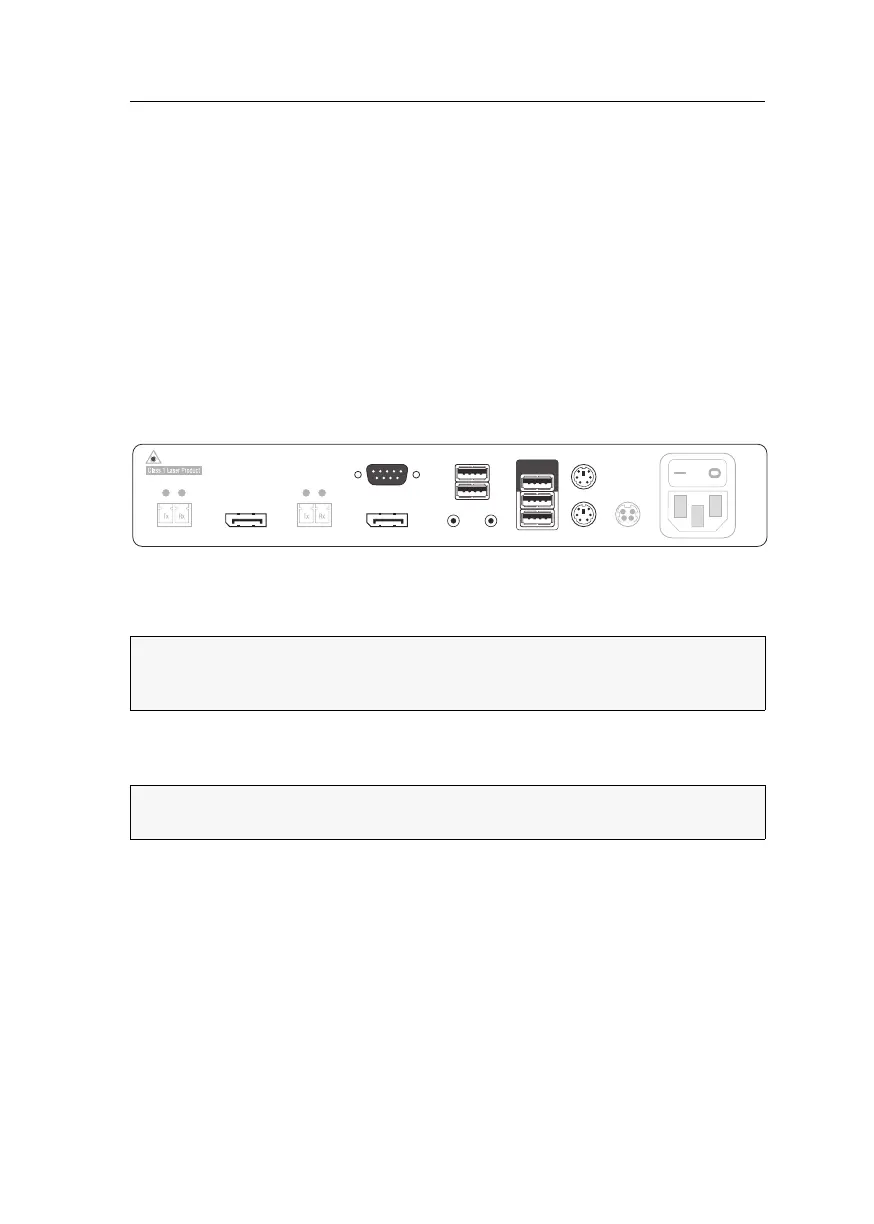
Console module »DP-HR-U-CON-Fiber-MC2«
Computer and console modules (DP-HR-U) · 126
Package contents
1 × Console module DP-HR-U-CON-Fiber-MC2
1 × Power cable
1 × »Manual information« flyer
1 × »Safety instructions« flyer
Required accessories
2 × Compatible optical fibre cable to connect the console module to a
KVM matrix switch
Installation
Connecting console devices
DisplayPort Out 1: Connect the first console monitor.
DisplayPort Out 2: Connect the second console monitor.
Micro In: Connect the console microphone (optional).
Speaker: Connect the console speakers (optional).
Keyb.: Connect the console’s PS/2 keyboard.
Mouse: Connect the console’s PS/2 mouse.
Keyb./Mouse: Connect the console’s USB keyboard and/or USB mouse.
Generic: By default (Keyb./Mouse mode), you can use this interface to connect another
USB input device or supported displays or tablets.
NOTE:
Check the monitor's manuals if the OSDs provide a setting for the mode of
the DisplayPort input. If so, select the mode in which the image data is processed
according to the standard DisplayPort 1.1.
NOTE:
Console keyboard and console mouse can be connected to the
console
module’s USB or PS/2 interfaces.
Micro In
Keyb./MouseSpeaker
Generic
Main Power
Red. Power
Mouse
Keyb.
LED Out
DisplayPort Out 1DisplayPort Out 2
Transmission 2 Transmission 1
USB Devices



 To Next Page