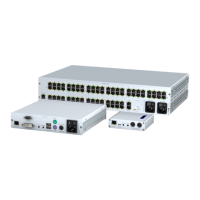
Console module »DP-HR-U-CON-MC4«
101 · Computer and console modules (DP-HR-U)
Console module »DP-HR-U-CON-MC4«
With DP-HR-U-CON-MC4 console modules, you can connect a dual-monitor console
(four
DisplayPort monitors, keyboard, mouse and audio devices) to a digital matrix
switch of the ControlCenter-Compact or ControlCenter-Digital series.
At the installed console, matrix switch users can access a computer module to operate
the connected computer.
The data stream of the connected USB devices is transmitted to the active computer
module with up to 16 Mbit/s (
DVI-U-CPU, DP-U-CPU, DP-HR-U-CPU and VGA-U-CPU series
only).
When using the console to access a multi-monitor computer with four graphics out-
puts, the separate images of the graphics outputs are displayed on the console moni-
tors.
When accessing the system with a computer module with only one graphics input,
only the first monitor shows an image.
Package contents
1 × Console module DP-HR-U-CON-MC4
1 × Power cable
1 × »Manual information« flyer
1 × »Safety instructions« flyer
Required accessories
4 × Category 5e (or better) twisted pair cables to connect the console module to
the matrix switch
NOTE:
Connecting a multi-monitor computer with four video outputs requires four
computer modules of the
DP-HR-CPU series or two computer modules of the DP-HR-
CPU-MC2
series.
In the web application, you can add the computer modules of the multi-monitor
computers to a channel groups More information about this topic is given in the
chapter Expanding the system through port grouping of the web application manual.


 To Next Page