35
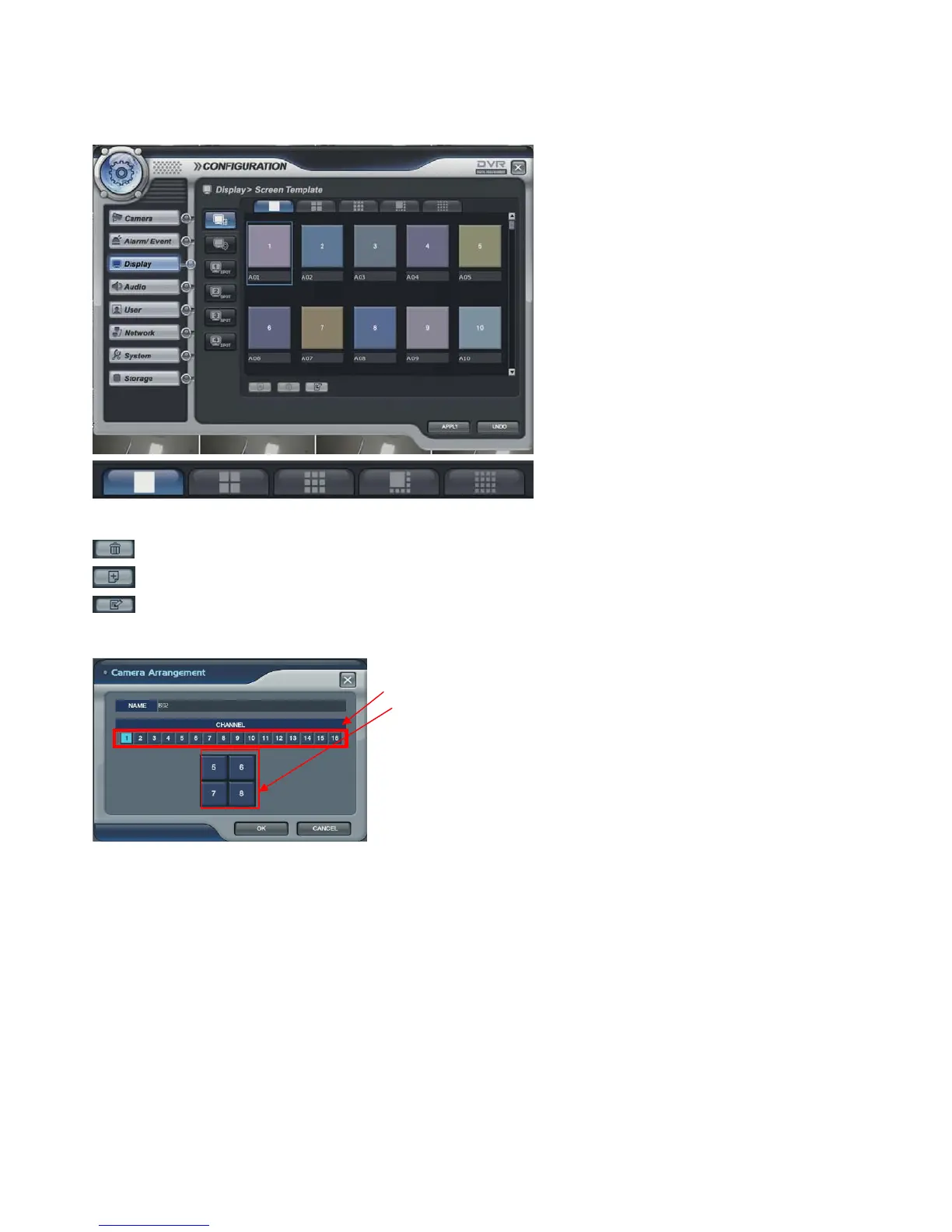
Display -> Screen Template
Setup the display configuration. It is used when the operator wants to see live display with sequence mode.
This menu should be setup before setting the Main Display Sequence.
The operator could select the screen mode with 1, 4, 8,9,16 division by clicking above icon.
ADD button: Please add the item to be pop-up.
DELETE button: Delete the item which has been already registered.
EDIT button: Edit after selecting current screen template
-Click the ADD or EDIT button and the screen could be seen.
- Select the channel.
- Select the location of channel that requires to be changed.
- Then, screen template is made or changed.
- The operator can make new screen template or modify the
current screen template



 To Next Page