RTxxx LEDlighting controllers - User Manual
11.2 Configuration page
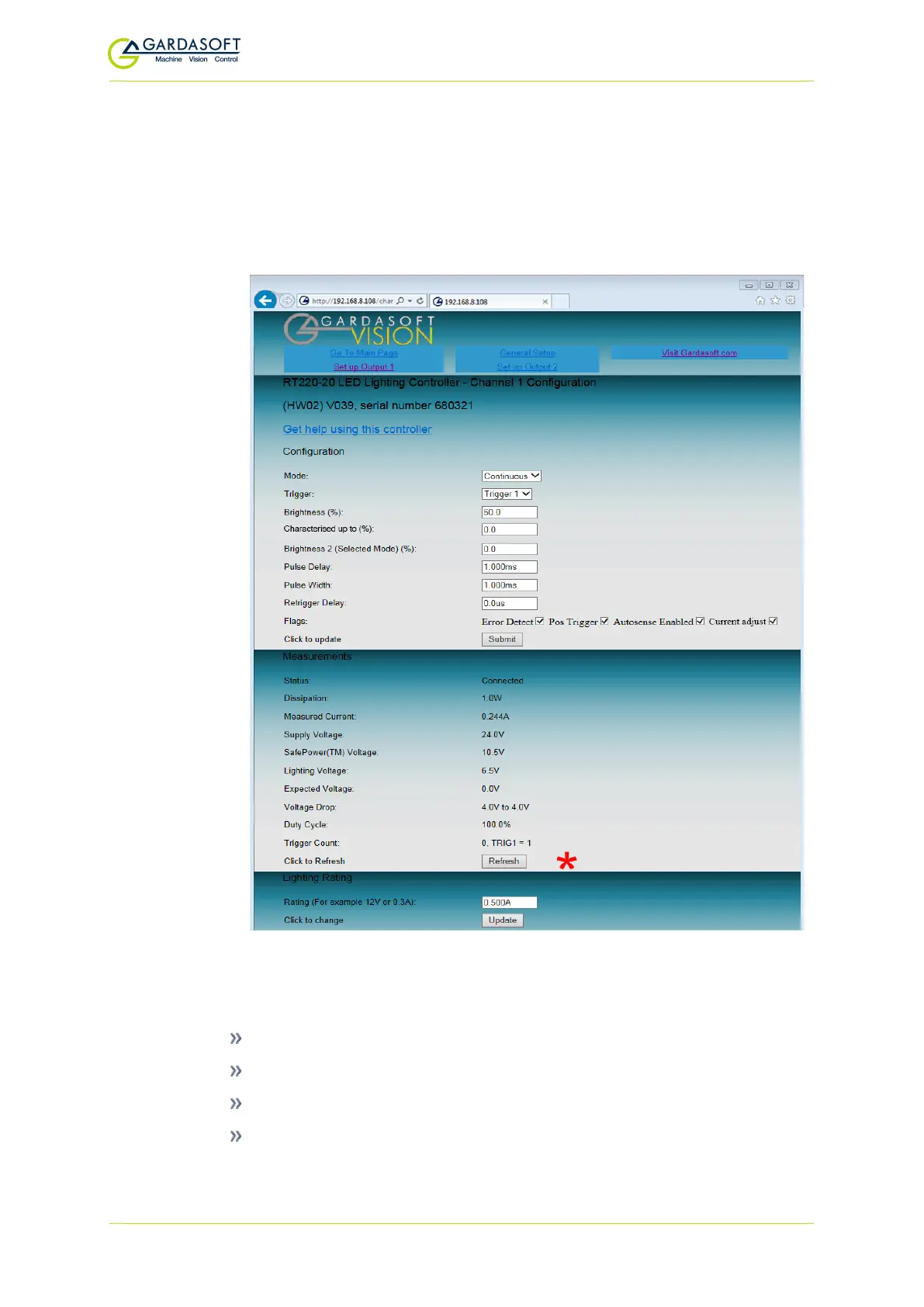
There is one configuration page for each output channel, as shown
below. To refresh this page it is important that you click the Refresh
button on the webpage(Ø) rather than on your web browser. When
configuration changes are submitted, the URL includes the new
configuration, so refreshing the page re-submits the URL.
You can set up all the parameters for each output channel. Pressing
the Submit button updates the RTxxx configuration and saves the
changes to non-volatile memory. On this page you can:
Change the current rating for the light.
View some measured voltages and the actual output current.
Set the output mode: continuous, pulsed, or switched.
Set the pulse parameters.
— 54 —



 To Next Page