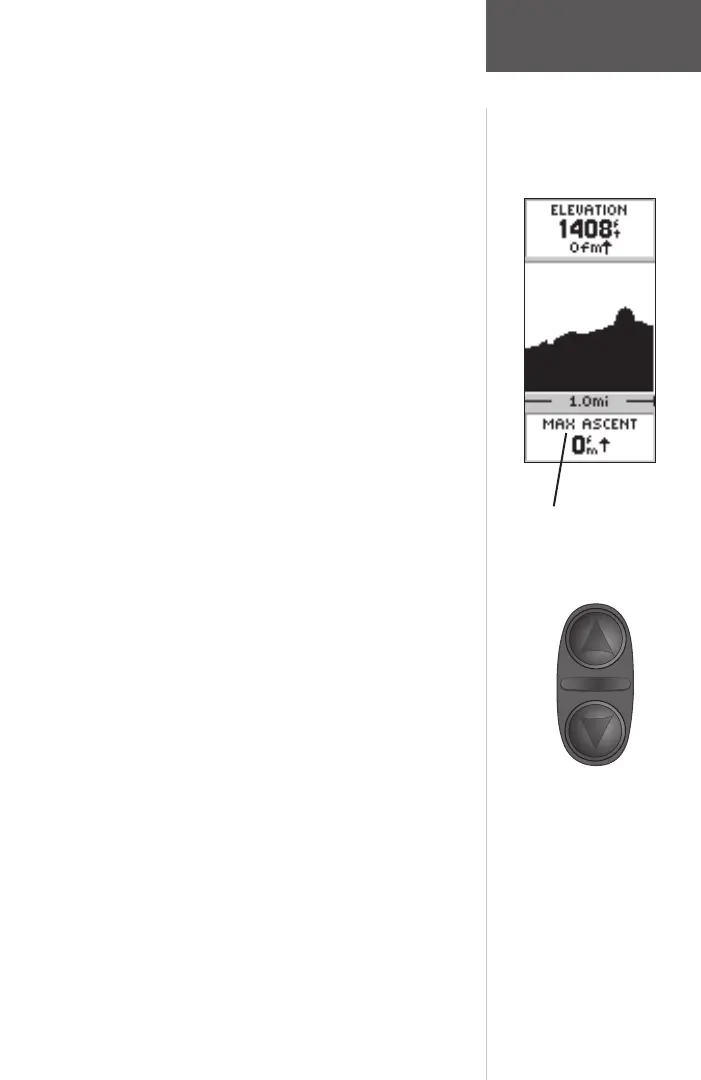
You can also change the data fi eld along the bottom of
the Elevation Page to display different data.
TOTAL ASCENT —Total distance ascended.
TOTAL DESCENT—Total distance descended.
AVG ASCENT—Average rate of ascent.
AVG DESCENT—Average rate of descent.
MAX ASCENT RATE—Maximum Ascent Rate.
MAX DESCENT RATE—Maximum Descent Rate.
VERTICAL SPEED—Vertical Speed.
PRESSURE—Current Normalized or Ambient pres-
sure based on the pressure setting in System Setup,
see page 55.
12HRS PRESSR—Tracks pressure changes over a 12
hour period.
MAX ELEVATION—Highest elevation reached.
MIN ELEVATION—Lowest elevation.
To scroll through the user selectable data:
1. The UP or DOWN arrow will scroll through the
available data fi elds.
The Elevation Page Data Field
has 11 user selectable options.
On the Elevation Page, the UP
and DOWN Buttons are used to
scroll through the user-selectable
data fi elds.
Elevation Page
Data Fields
190-00193-00_0D.indd 02/12/01, 10:08 AM29













 To Next Page