48
Reference
Pressure
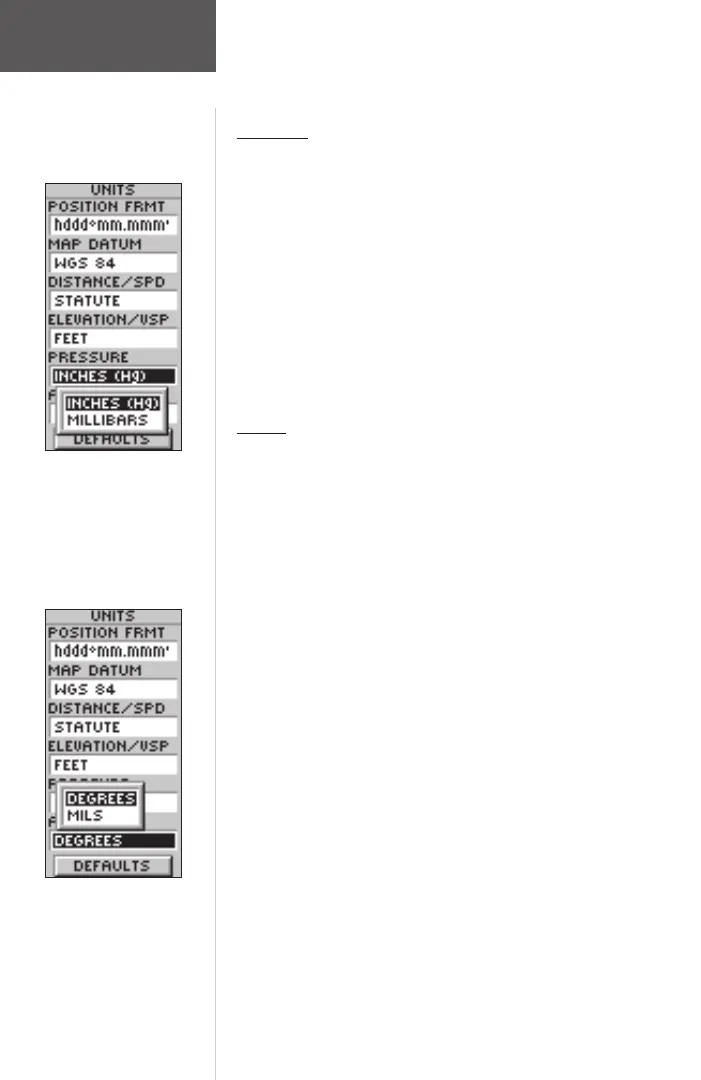
To change Pressure units:
1. With the MENU Page displayed, using the UP or
DOWN Button highlight ‘SETUP’ and press ENTER.
2. Using the UP or DOWN Button select ‘UNITS’. Press
ENTER. The UNITS Page appears.
3. Using the UP or DOWN Button, select the ‘PRES-
SURE’ fi eld. Press ENTER.
4. Press the UP or DOWN Button to select ‘INCHES’ or
‘MILLIBARS’. Press ENTER. Press PAGE to select the
page of your choice.
Angle
You can set the eTrex Summit to display directional
information in ‘DEGREES’ or in ‘MILS’.
To select an Angle setting:
1. With the MENU Page displayed using the UP or
DOWN Button highlight ‘SETUP’ and press ENTER.
2. Using the UP or DOWN Button select ‘UNITS’. Press
ENTER. The UNITS Page appears.
3. Using the UP or DOWN Button select the ‘ANGLE’
fi eld. Press ENTER.
4. Press the UP or DOWN Button to select ‘DEGREES’
or ‘MILS’. Press ENTER. Press PAGE to select the
page of your choice.
Units Page
Pressure Units
Angle Units
190-00193-00_0D.indd 02/12/01, 10:09 AM48













 To Next Page