3332
CHAPTER 5: F
¯
ENIX
™
2 CHAPTER 5: F
¯
ENIX
™
2
MULTISPORT
Multisport feature allows you to practice several sports immediately following one another (e.g. like a
triathlon).
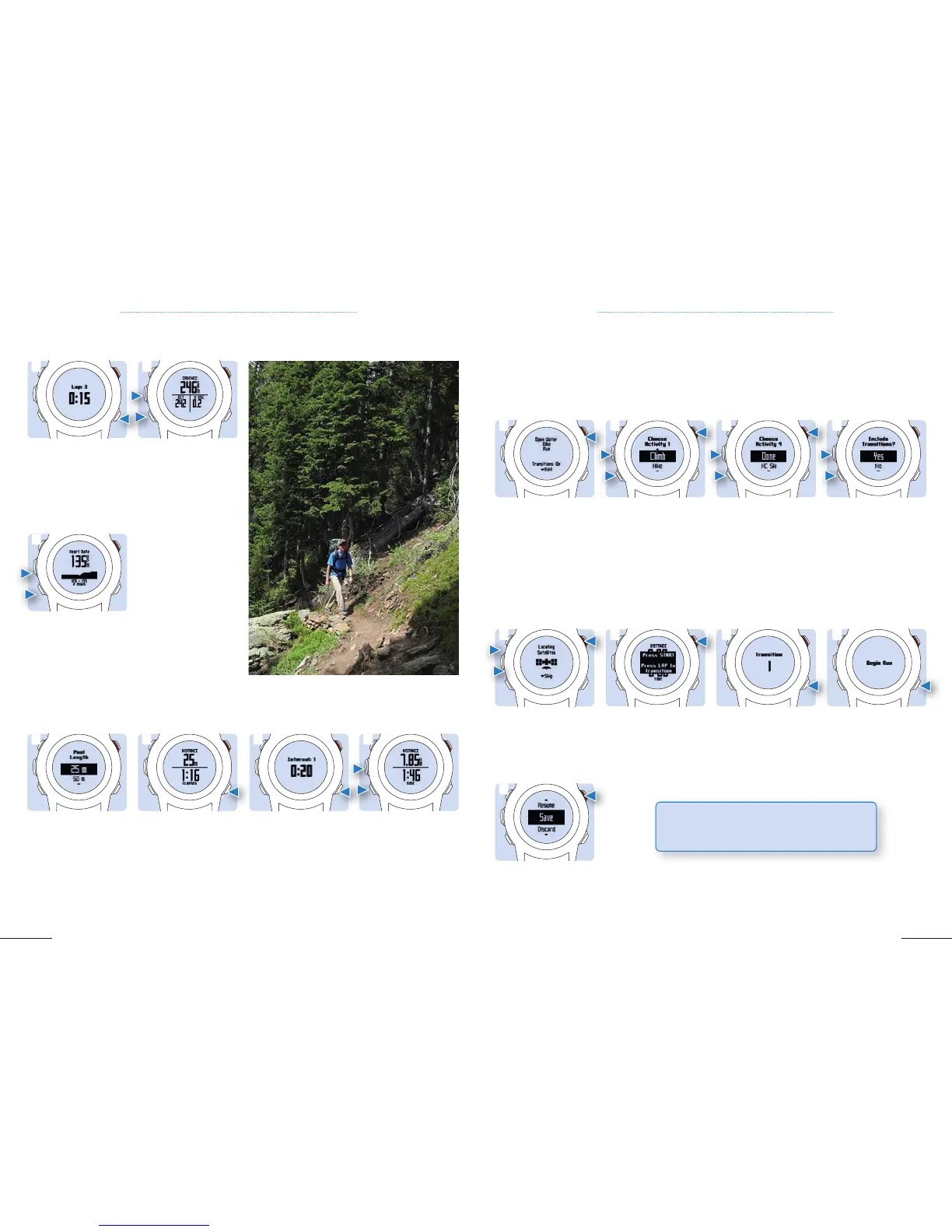
EDITING A MULTISPORT ACTIVITY
1. While you are
running, select Lap to
record laps (optional).
Pool swim:
1. You will need to
select your pool size or
to enter a custom size.
1. While you are biking,
select Up and Down
to view additional data
pages (optional).
2. Select Up and Down
to view additional data
pages (optional).
2. When resting, select
Lap to pause the
timer and again Lap to
restart it.
Open Water swim:
1. While you are
swimming, select Lap
to record an interval
(optional).
2. Scroll to view
additional data pages
(optional). Open Water
swimming only work
with Free Style.
1
1
1
2
2 1 2
RUNNING: How to record laps or to view the data
SWIMMING: how to pause the timer, to record an interval or view the data
BIKING: How to view the data
a
a
a
2. Select your activity
number one (here
Climb).
2. Select Start to start
the timer then start your
first activity.
3. Repeat step 2 until
your multisport activity
is complete, then select
Done
.
3. Select Lap for
transition to the next
activity.
4. Select Yes to turn
transitions on or No to
turn them off.
4. If necessary, select
again Lap to start a
further activity.
Select Start, then select
Multisport.
1. Select Start or scroll
down to choose your
activities.
1. Select Start, then
Multisport, then Start
again. Wait until you get
your GPS location.
5. After you completed
your last activity, select
Stop then Save
.
1
1
1
5
3
3
3
4
4
4
STARTING A MULTISPORT ACTIVITY
2
2
2
TIP: If transitions are turned on, the transition
time is recorded separately from the activity time.



 To Next Page