1
GETTING STARTED
Initialization
Initializing the Receiver
The first time you power up your new GPSMAP 180 is an important step in get-
ting the best possible GPS performance. The receiver must be given an opportunity
to collect satellite data and establish its present position. To ensure proper initializa-
tion, the GPSMAP 180 is shipped from the factory in AutoLocate
TM
mode, which will
allow the receiver to find itself anywhere in the world. To speed up the initializa-
tion process, we recommend using the graphic initialization process described
below, which will usually provide a position fix in about a minute.
Before you initialize, make sure the GPSMAP unit and antenna have been correctly
installed on your vessel according to the instructions in Appendix A.
To turn the GPSMAP 180 on:
1. Press and hold the
P
key until the power tone sounds.
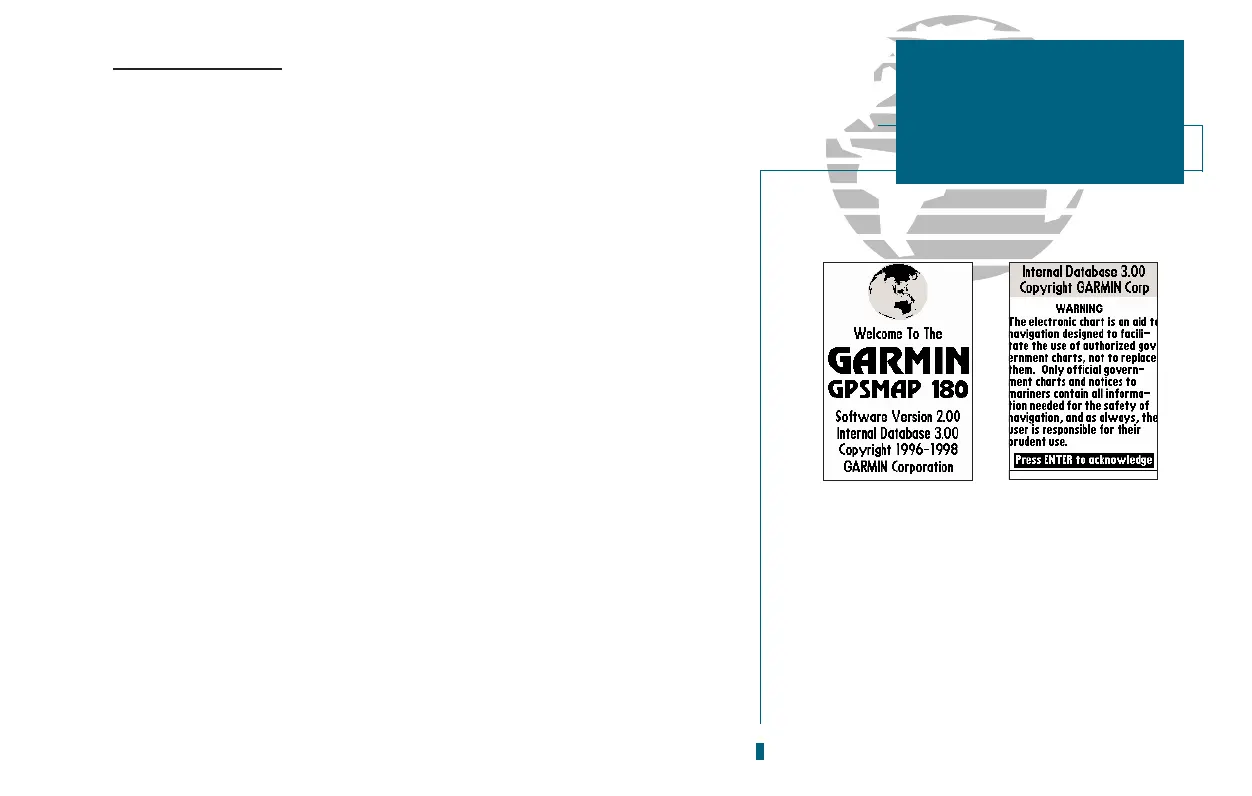
The welcome page will appear while the unit conducts a self test. Once the
internal test is complete, the mariners warning will appear, asking you to read and
acknowledge important information regarding the proper use of electronic charts.
To acknowledge the mariners warning:
1. Press the
T
key.
A message alert and prompt will also appear asking you to select an initialization
method.
To view a message:
1. Press the
J
key.
2. Press the
J
key again to return to the previous page.
A. The welcome page will be displayed while
the unit performs a self-test.
B. Confirm the mariners warning before
starting navigation. Remember that the
electronic chart is designed as a supple-
ment to local government charts, not as a
replacement.
A
B














 To Next Page